 Go up
Go up


Feature Spotlight: Custom Combination Location
Posted on Nov 03, 2017 by Admin
This week we’ll talk about one of our favorite features in SimplyAnalytics - the custom combination location. This feature is a simple and effective means to create custom geographies where you’re able to specify the exact makeup for. Let’s jump in.
Why would I want to use this feature?
Sometimes you may want to study a neighborhood in your city, or area that you know of that isn’t necessarily a formal geography itself. One of the common questions we get asked is, “How do I get data for “my neighborhood” or “downtown”?” and that’s a fair question - the problem is, “my neighborhood” or “downtown” is not a formal Census geography, but it’s probably a combination of a few CTs or ZIP Codes. That’s where the Custom Combination Location feature comes into play.
How to Use It:
In this example, we’re going to make the Greenwich Village and Soho neighborhoods in Manhattan.
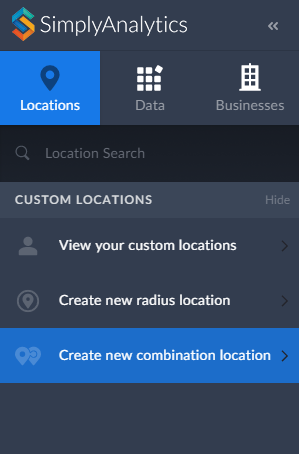
1. Click on Create New Combination Location found within the Locations tab towards the left of the screen.
2. Give your location a name.
3. Enter in the locations that comprise your target area - in this case, the Greenwich Village and Soho neighborhoods consist of ZIP Codes: 10012, 10013 and 10014.
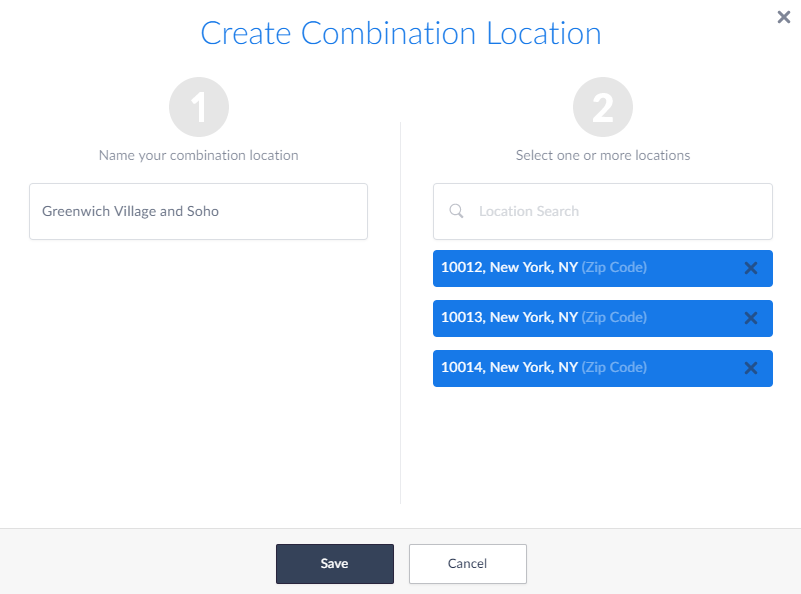
4. Select Save
Use your Location:
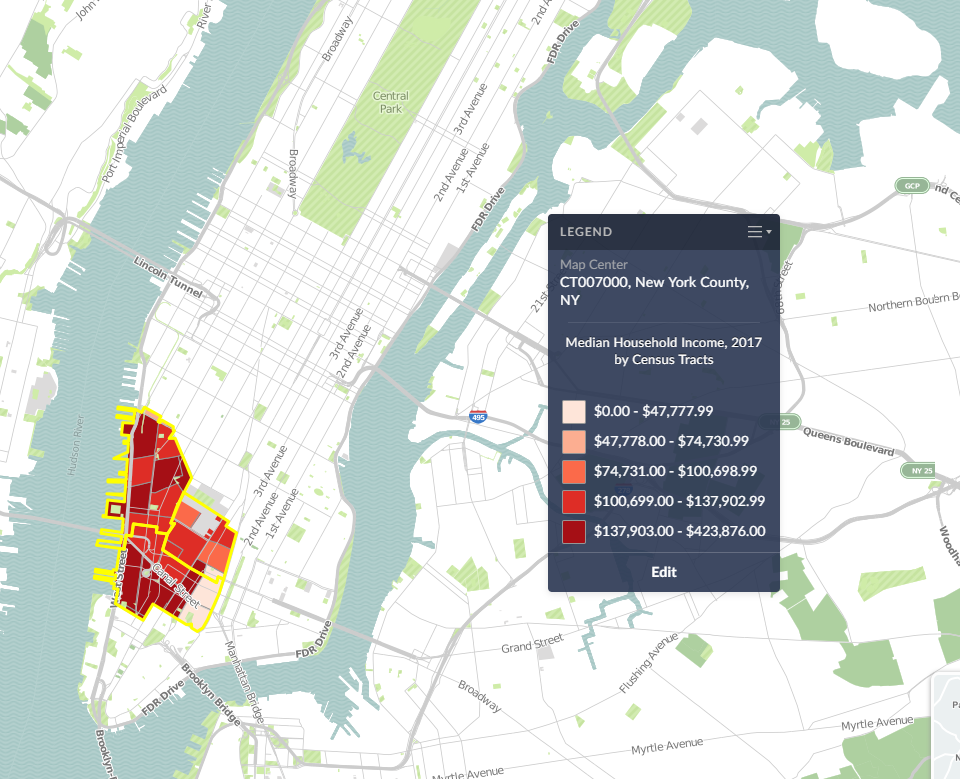
Now that your custom location is saved, you are free to use it in Maps and reports. Your custom location will be stored within the View your Custom Locations option in the Locations tab.
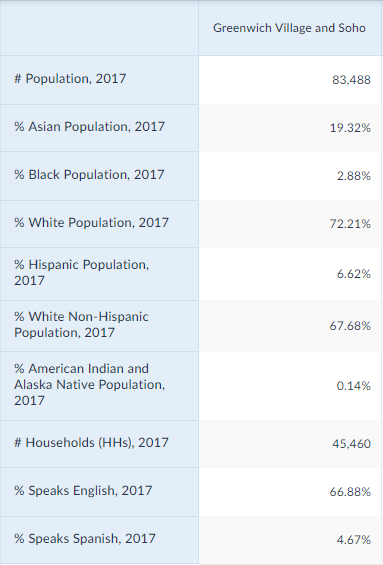
SimplyAnalytics will calculate the #, % and Average variables for you in reports:
And that’s it for today! In a future post, we’ll talk about creating combination locations from your recently used and favorite locations.
More from SimplyAnalytics


Posted on Jul 24, 2013 by Admin
Registration is now open for the North Carolina Library Association Conference! Visit us at the 60th biennial conference (Booth #45) through October 15 - 18, 2013. We have beautiful ca...
Posted on Feb 19, 2016 by Admin
Drop by booth #857 at PLA 2016 to meet the SimplyMap team and learn more about the features and functions behind SimplyMap. Have a Ghirardelli Chocolate while we present SimplyMap and off...
Posted on May 24, 2023 by Admin
SimplyAnalytics is excited to attend. Swing by booth 1733 for a brief demo, and discover how our user-friendly demographics, business, health & marketing data analytics and visualizat...
Posted on Apr 30, 2008 by Admin
Doreen Harwood, Business Librarian from the University of Washington has developed a series of detailed tutorials on using SimplyMap. The tutorials, which are Flash-based and interactive,...
Posted on Dec 08, 2010 by Admin
The GRI team will be attending the American Library Association Midwinter meeting this year at the San Diego Convention Center. Visit us in booth 1055 in the exhibit hall from January 7 -...
Posted on Jun 02, 2016 by Admin
Three weeks ago we utilized the SimmonsLOCAL data set to visualize contiguous America’s mayonnaise brand preference. Staying with the American visualization theme, this week’s report will...
Posted on Feb 23, 2012 by Admin
Geographic Research, Inc. will be exhibiting at the Public Library Association (PLA) Conference. Visit us at Booth 2329 to learn more about SimplyMap and enter our raffle for a new com...
Posted on Nov 06, 2013 by Admin
SimplyMap includes a number of helpful support tools; guided wizards available when and where you need them, detailed help files, and an online support center with FAQs and searchable kno...
Posted on May 19, 2016 by Admin
Drop by booth #215 at the SLA 2016 conference to chat with us and get the latest info on SimplyMap. We look forward to seeing our customers, friends, and all others interested in learning...
Posted on May 18, 2015 by Admin
The SimplyMap team is looking forward to visiting with customers and others at the SLA Annual Conference, coming to Boston on June 14-16. Come visit us at Booth #916, we are happy to answ...