 Go up
Go up


Refining Your Business Search in SimplyMap
Posted on Jun 25, 2015 by Admin
In this week’s SimplyMap report, we review the different options available when searching for a business. The easiest and fastest method of mapping businesses or creating a business report is to use a keyword search. The keyword search function searches across several different criteria and returns all businesses related to your keyword. For example, if you did a keyword search for “seafood” you would return seafood restaurants, seafood markets, seafood shacks etc.
In this example, we’ll demonstrate how to refine your business search using an SIC code to get a targeted list of businesses in specific industries. The process of narrowing your business search involves applying additional conditions to your query.
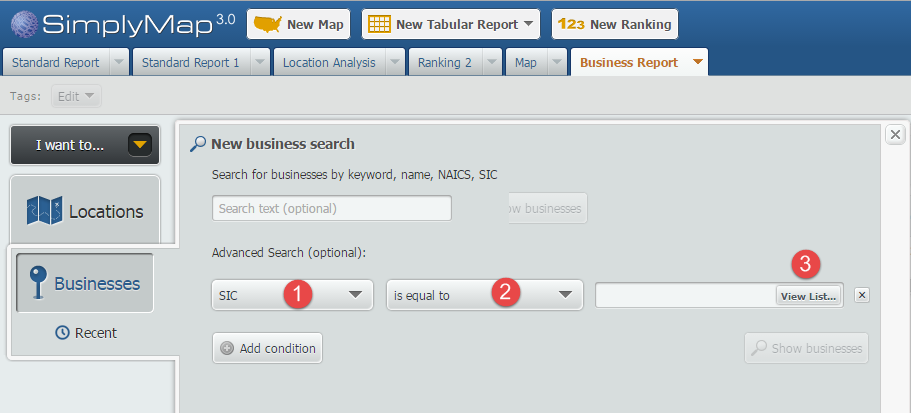
First choose your location; in this example we will use the city of Boston. Next, open the Businesses tab and select the “Add Condition” button. Set the first dropdown to SIC (1), the next to ”is equal to, (2)” and lastly select View List (3) to browse SIC codes.
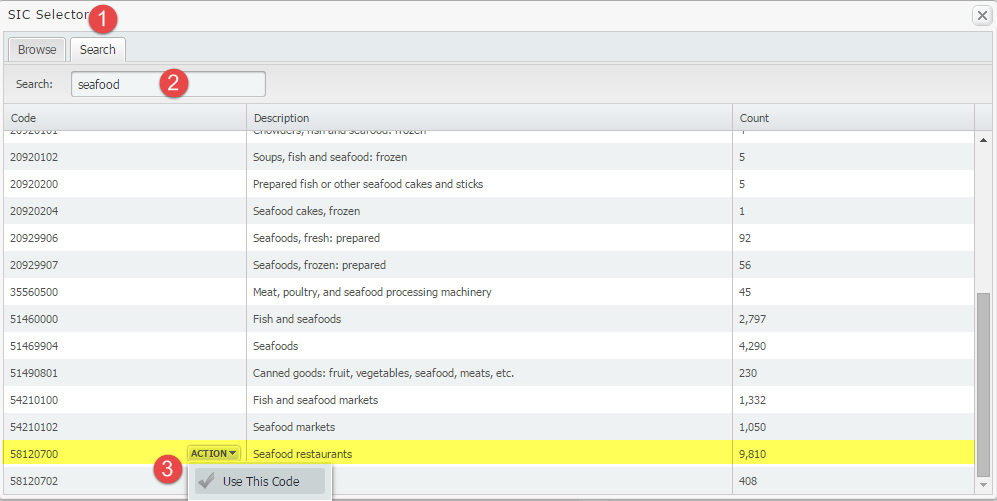
On the SIC selector screen, select the Search tab (1) to search for seafood (2). The screen will populate with results that have the word seafood in it. Mouse over“seafood restaurants” and select Use This Code (3).
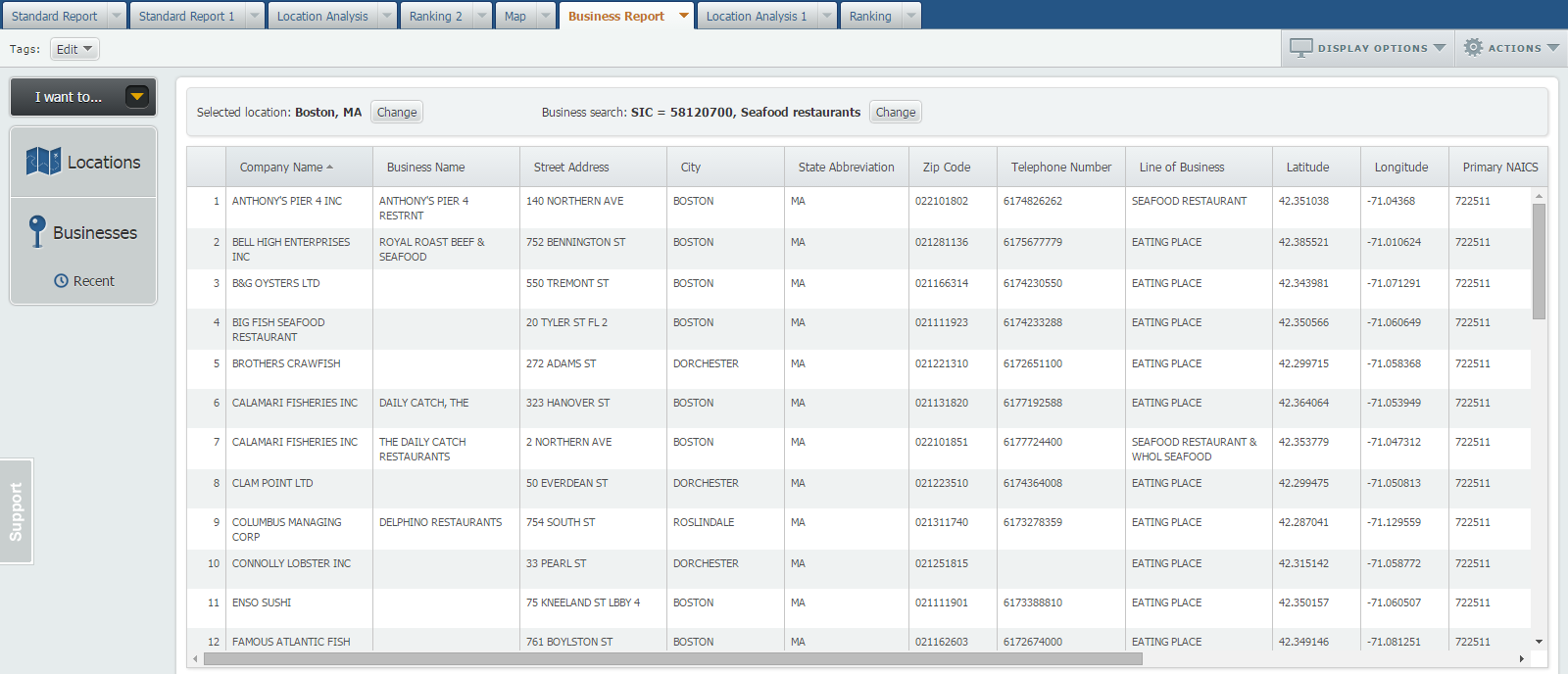
Select “Show Businesses” to populate your report using that specific code as the condition. Boston is home to 43 designated seafood restaurants - that’s not including seafood shacks or markets!
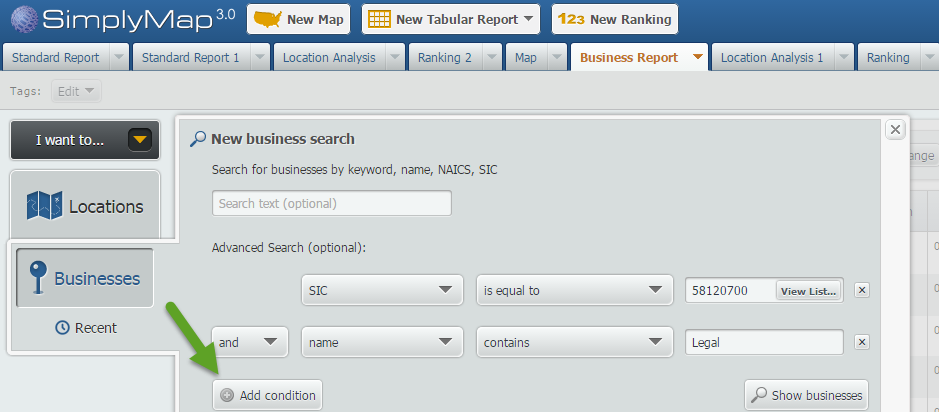
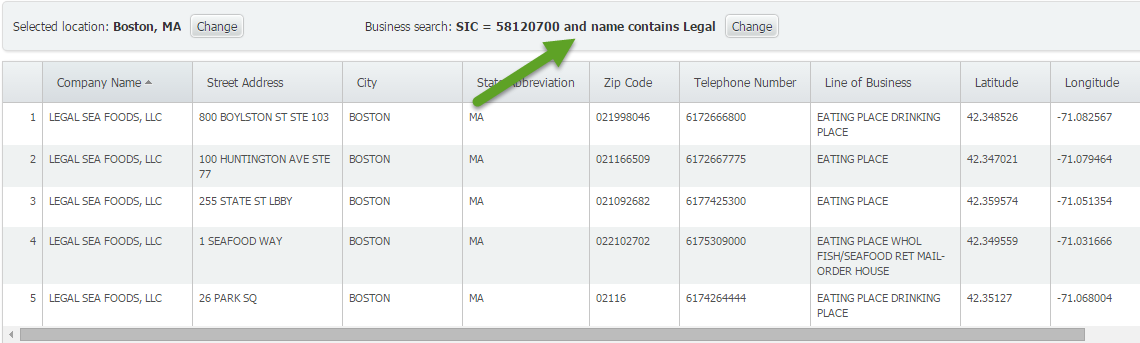
BONUS: SimplyMap lets you add multiple conditions. On the Businesses panel, you can add up to 4 total conditions by clicking on the “Add Condition” button and setting up conditions. In the image below, we set two conditions: the SIC code for seafood restaurants AND businesses which include “Legal” in their name.. This would then return the popular Boston seafood restaurants - Legal Seafood.
We hope you enjoyed this week’s SimplyMap report. Stay tuned for more SimplyMap tips and reports!
More from SimplyAnalytics


Posted on Dec 15, 2014 by Admin
Visit the SimplyMap team at the ALA Midwinter Meeting in Chicago late January. We will be at booth #2824 offering product demonstrations, tips & tricks, and of course Ghirardelli Choc...
Posted on Oct 26, 2016 by Admin
In this week’s SimplyMap report, we’ll take a look at the tags feature and demonstrate how it can be useful for you as you work in SimplyMap. SimplyMap users can have up to 20 tabs open i...
Posted on May 06, 2013 by Admin
We will be exhibiting at ALA 2013 at McCormick Place in Chicago, IL, June 28-July 1. The ALA Annual Conference programs, updates, conversations, and other events cover all of the key issu...
Posted on Jul 26, 2016 by Admin
In this week’s SimplyMap report, we’ll take a look at the Retail Market Power dataset and provide a simple, effective example of how the data package can be used. If your institution curr...
Posted on May 16, 2022 by Admin
Hello readers! We hope you are having a wonderful day. Today we feature a question from the help desk that we think many users would find useful. Let’s get started. The question: How can ...
Posted on Nov 24, 2014 by Admin
In this week’s report, we research America’s most educated cities. SimplyMap contains a total of 111 educational attainment variables, including general population and by race. We used th...
Posted on Sep 27, 2019 by Admin
Hello readers! This week we provide an in-depth response to a question asking about the legend classification methods in SimplyAnalytics. This response is now part of our Help Center: htt...
Posted on Jan 18, 2008 by Admin
The BRASS Business Reference Sources Committee of Reference & User Services Quarterly (RUSA) selected SimplyMap as one of the Outstanding Business Reference Sources for 2007. Excerpt...
Posted on Aug 13, 2015 by Admin
In this quick SimplyMap report, we use Census data to help us identify which city in the United States has the highest percentage of residents who reported walking to work as their mode o...
Posted on Feb 05, 2015 by Admin
Our Winter Sweepstakes has begun! Enter to win an iPad Mini 3 or Kindle Fire. How to Enter: Follow @SimplyMap on Twitter Like our SimplyMap Facebook Page for a 2nd Chance to Win If you ...