 Go up
Go up


Exploring SimplyMap Data: Life Stage Clusters
Posted on Aug 20, 2015 by Admin
Is there a specific age group and income bracket you are specifically interested in researching for a target location? Our Life Stages module has the information you need. Life Stages, by EASI is a premium data set available for trial or purchase to all SimplyMap subscribers. In this brief write up, we’ll take a look at some of the options available within this data package.
The Life Stages module is broken down into three folders:
Young Households - Very Young <25 and Young 25-34
Middle Age Households - Middle Age 35-44 and Late Middle Age 45-54
Older Households - Nearly Senior 55-64, Senior 65-74 and Oldest 75+
Each of these folders is further broken down by family types and income.The income data has three tiers: lower income, moderate income and higher income. Let’s get started with a demonstration.
Scenario: You want to analyze the city of Chicago by Life Stage clusters to identify high income, non-family households (young, middle age and older).
Step 1: Create a Location Analysis Report, and use the city of Chicago as your location.
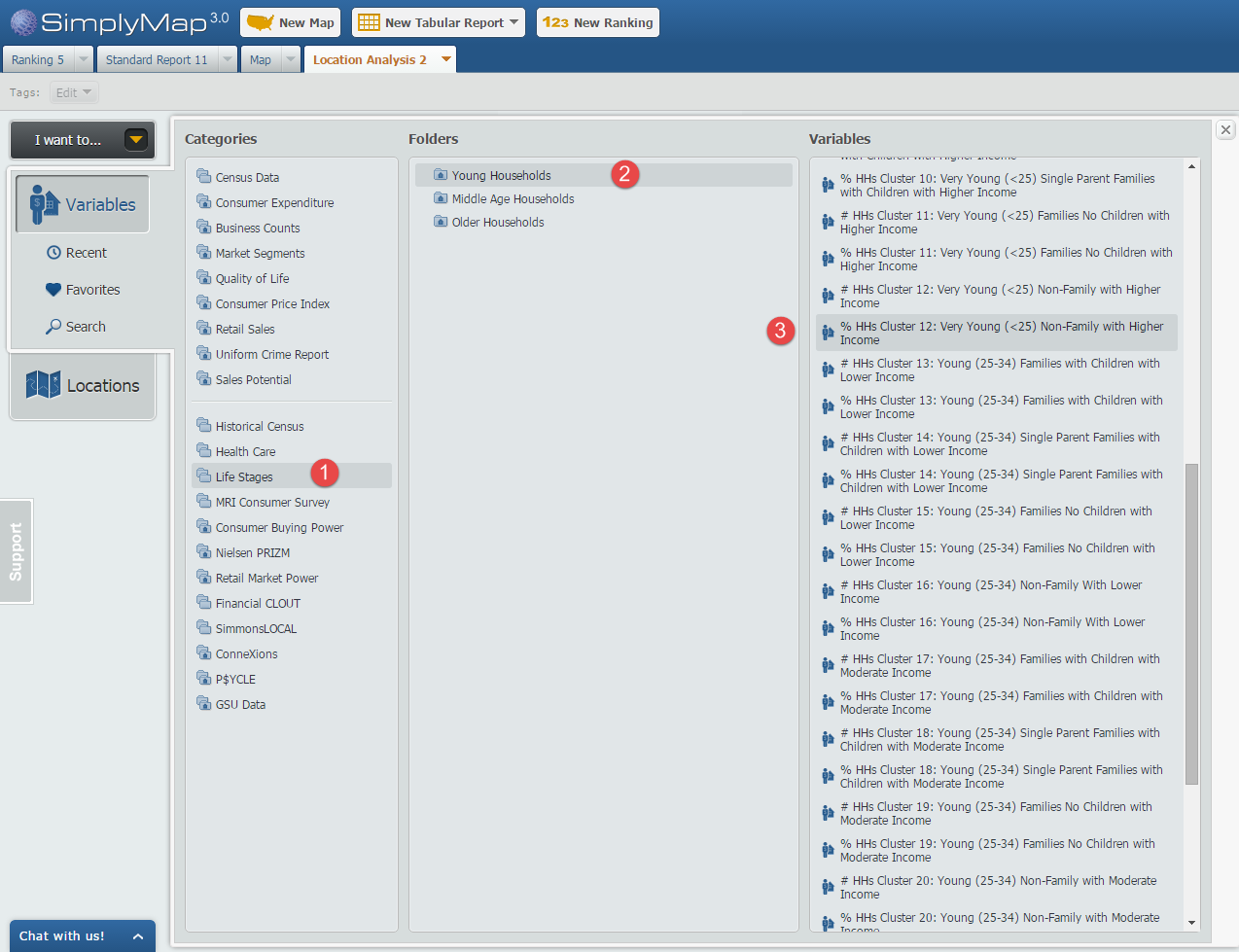
Step 2: Open the Variables Panel and navigate to Life Stages and through each household folder, selecting the variables that meet our criteria, such as: % HHs Cluster 12: Very Young (<25) Non-Family with Higher Income, 2014. Image below for reference.
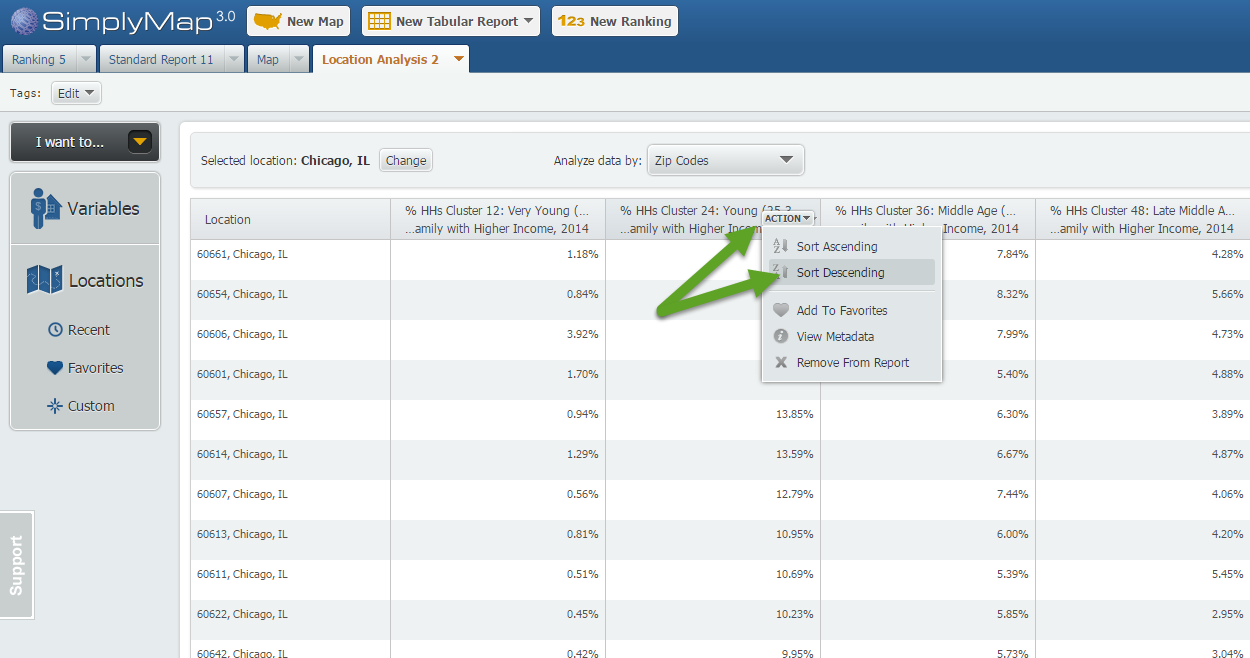
Step 3: Hover over each variable in your report and select “Sort Descending”. This will effectively rank your Chicago ZIP Codes by that variable allowing you to see the ZIP Codes where each selected variable is most represented.
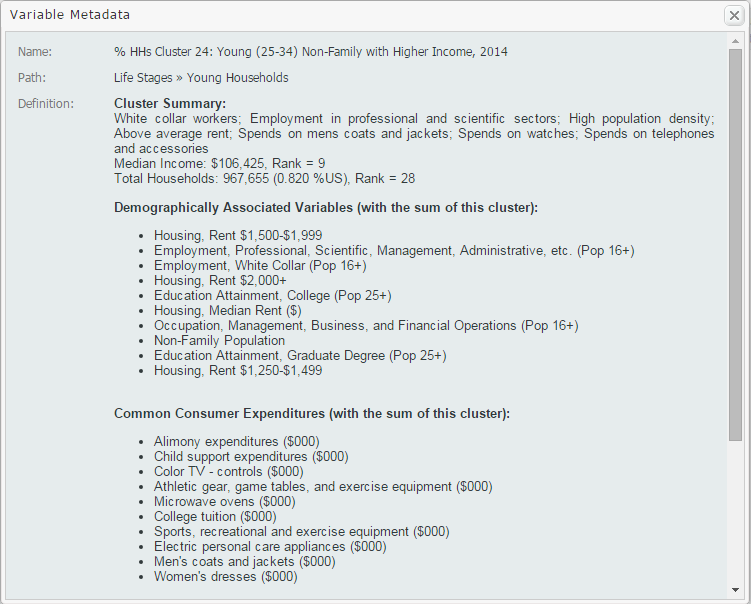
Tip: To gather more information on your variables, such as a definition and summary, select View Metadata from the dropdown that appears when hovering over the variable. Sample shown below:
We hope you enjoyed this week’s feature on the Life Stages data module. If you feel this data package could be useful at your institution, send an email to support@geographicresearch.com We would be happy to set up a free temporary trial.
Stay tuned for more!
More from SimplyAnalytics


Posted on Oct 07, 2013 by Admin
Do you know the quickest way to find the name of a Block Group, Census Tract or ZIP code in our upcoming release for 3.0? The i-Tool gives you the ability to click anywhere on a map to g...
Posted on Jan 18, 2008 by Admin
The BRASS Business Reference Sources Committee of Reference & User Services Quarterly (RUSA) selected SimplyMap as one of the Outstanding Business Reference Sources for 2007. Excerpt...
Posted on May 26, 2020 by Admin
Hello readers! We hope you are doing well, and thank you for your continued support of SimplyAnalytics. We are excited to announce that scatterplots are officially live! Scatter plots ar...
Posted on Dec 15, 2014 by Admin
Custom Locations allow SimplyMap users to combine several locations into one larger region. For example, you can use this feature to combine three adjacent ZIP Codes to create your study ...
Posted on May 06, 2013 by Admin
We will be exhibiting at ALA 2013 at McCormick Place in Chicago, IL, June 28-July 1. The ALA Annual Conference programs, updates, conversations, and other events cover all of the key issu...
Posted on Jun 25, 2015 by Admin
In this week’s SimplyMap report, we review the different options available when searching for a business. The easiest and fastest method of mapping businesses or creating a business repor...
Posted on Jun 09, 2016 by Admin
In this week’s blog, we’ll be featuring our newest data offering, PRIZM® Premier. If your institution currently subscribes to PRIZM data, this new module is available at no additional cos...
Posted on Mar 30, 2016 by Admin
In previous blog entries we highlighted the usefulness of viewing multiple years of data for the same variable. In short, analyzing the same variable across multiple years allows users to...
Posted on May 23, 2012 by Admin
We will be exhibiting at the Special Libraries Association (SLA) annual conference and Info-Expo at McCormick Place in Chicago Sunday June 15th - Tuesday July 17th. Visit us at Booth 124 ...
Posted on Feb 13, 2015 by Admin
In this week’s report exploring SimplyMap data, we want to find out where America’s remote workers reside. To find this, we can tap into the Census data in SimplyMap. The specific variabl...