 Go up
Go up


Creating a Custom Location from a Map
Posted on Sep 15, 2016 by Admin
While creating a radius location is the fastest and easiest method for creating a custom location, there may be situations that require a more specific and targeted locale. Let’s say for example that our target area for analysis are a few neighborhoods located west of Rittenhouse Square Park in Philadelphia.
A radius location would not work in this example as it will include all areas within a defined radius (e.g., 5 miles) around a specific block group. Using the process outlined below will allow you to focus in on the specific areas west of Rittenhouse Square Park, and create a custom location directly from a map. Let’s get started!
First, zoom in on the target area that will make up the custom location.
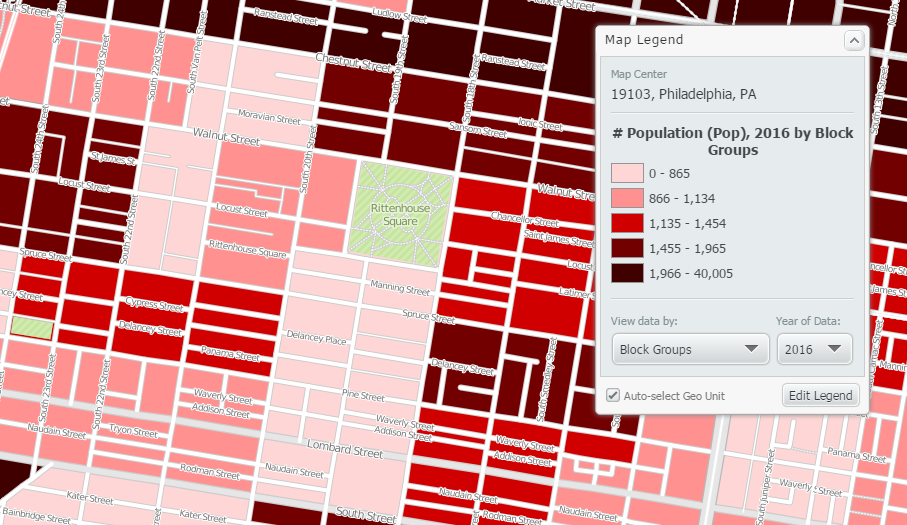
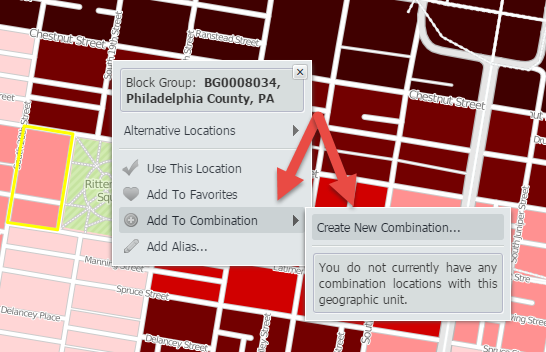
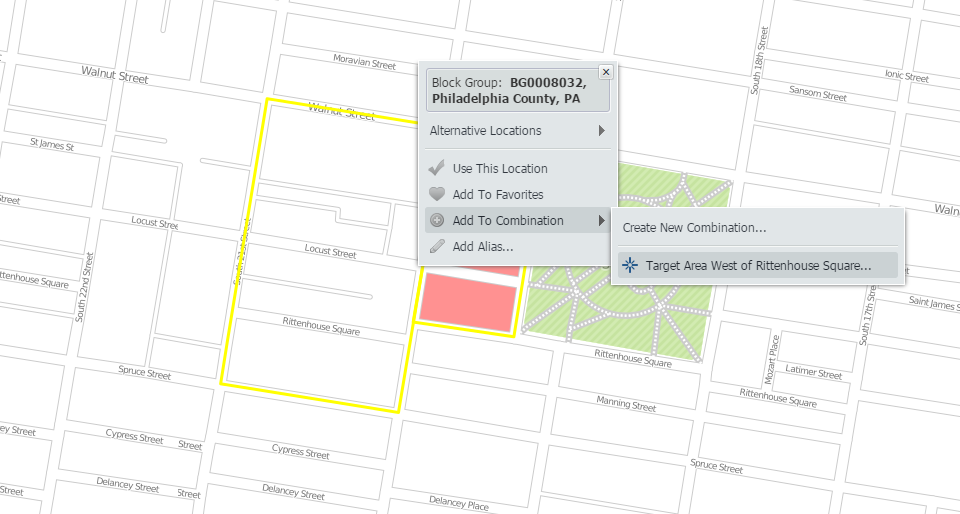
Utilize the i-tool and select the first area that will be included in your custom location. Hover over Add to Combination to select the option Create New Combination.
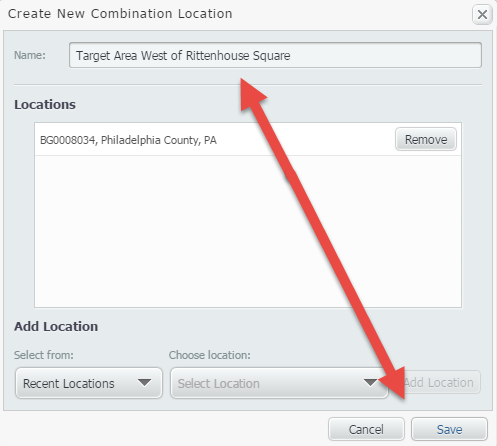
Give your location a name, and click save.
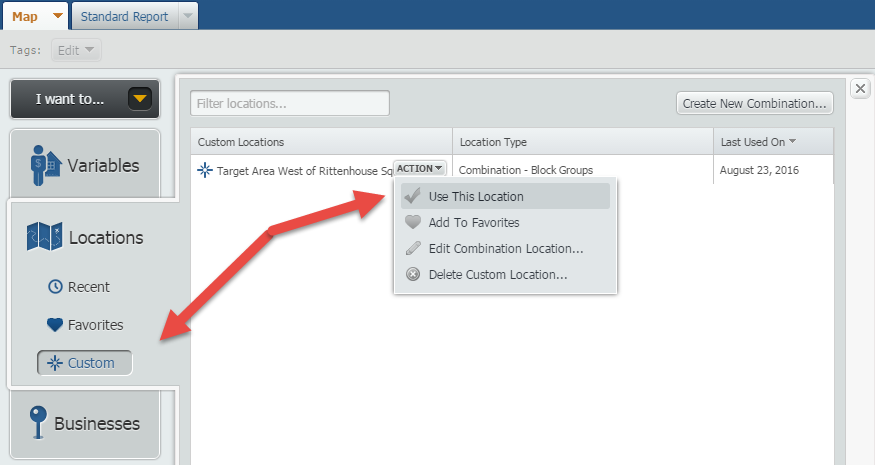
With the Combination now created, open the Locations panel, click on Custom and use the newly created combination.
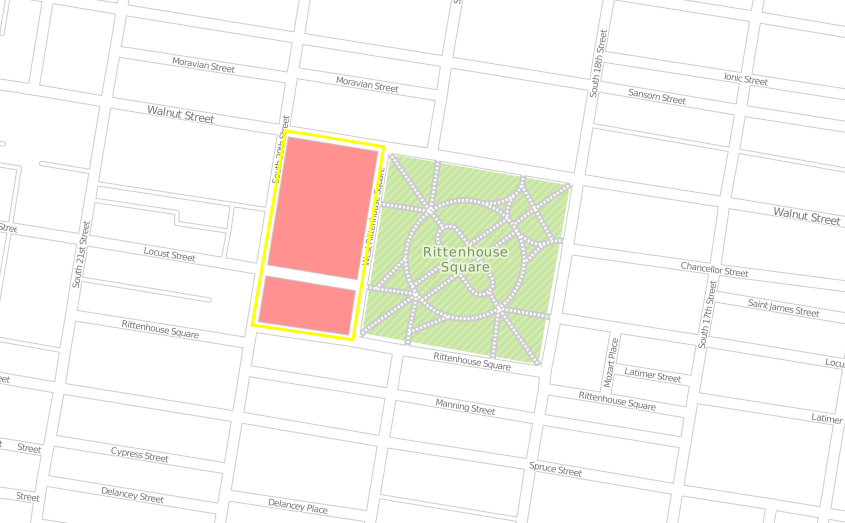
Your map will now look like this (with the one location we clicked on earlier):
Note: We applied a Location Mask to remove colors outside of our target area (shown in white now).
Use the i-tool once more, and repeat the process above adding new locations into the combination location:
Final result:
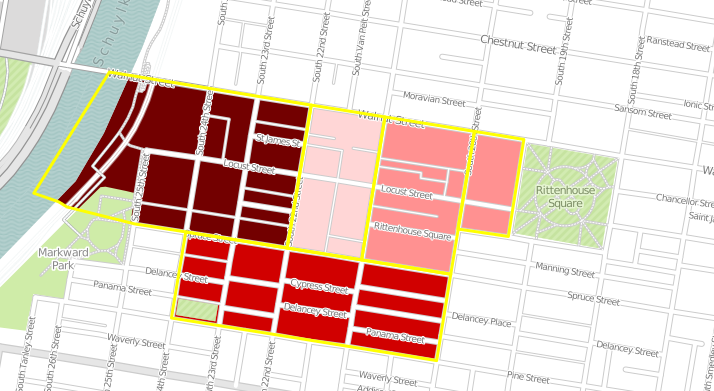
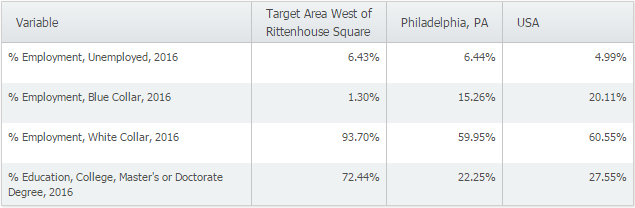
With the target area now created, you can utilize it in both maps and reports for further analysis.
Stay tuned for more SimplyMap tips and how-to’s!
More from SimplyAnalytics


Posted on Dec 15, 2014 by Admin
Visit the SimplyMap team at the ALA Midwinter Meeting in Chicago late January. We will be at booth #2824 offering product demonstrations, tips & tricks, and of course Ghirardelli Choc...
Posted on Nov 20, 2015 by Admin
In a previous blog we demonstrated the power of utilizing multiple years for the same variable. We found that the usage of Amazon.com had grown substationally from 2008-2014. In this week...
Posted on Oct 16, 2015 by Admin
Did you know that SimplyMap includes the ability to export Shapefile data for use in desktop mapping software (such as MapInfo or ArcGIS)? This advanced feature extends the power of Simpl...
Posted on Dec 19, 2016 by Admin
Stop by the Geographic Research booth [#T8] at the Ontario Library Association Super Conference to get a hands-on look at our latest and greatest SimplyMap offering. The conference will t...
Posted on Feb 21, 2018 by Admin
We are looking forward to sharing SimplyAnalytics with the public library community at the upcoming PLA 2018 Conference in Philadelphia, PA. Our team will be exhibiting in Booth #855. Vis...
Posted on Dec 12, 2011 by Admin
Men's Health magazine has published a ranked list to help readers find the cities where Americans are the saddest and where they are living with big smiles on their faces. As they note, "...
Posted on Oct 24, 2019 by Admin
Hi everybody! This week we wanted to bring you something unique, so we’re taking you behind the scenes to show you what goes in to setting up the SimplyAnalytics conference booth you’ve c...
Posted on Feb 26, 2014 by Admin
The Statewide California Electronic Library Consortium is holding another packed week of workshops and networking during the SCELCapalooza event in March 2014. Geographic Research will b...
Posted on May 23, 2012 by Admin
We will be exhibiting at the Special Libraries Association (SLA) annual conference and Info-Expo at McCormick Place in Chicago Sunday June 15th - Tuesday July 17th. Visit us at Booth 124 ...
Posted on Oct 30, 2018 by Admin
We are pleased to be exhibiting at this year's 30th Annual Charleston Library Conference! The Charleston Vendor Showcase will be held Tuesday, November 6, 2018, from 10:30 a.m. to 6:00 p....