 Go up
Go up


Variable Menu Improvements & More
Posted on Dec 07, 2021 by Admin
Hello readers! We hope you are enjoying the holiday season as much as we are. Today, we are happy to announce a couple of improvements to SimplyAnalytics designed to help you get your research done more efficiently. Let’s check it out!
Variable Menu Changes
This first of two changes to the variable menus is rooted in customer suggestions that revolved around the same sort of question, namely: is there a way to quickly add in additional years or the # or % version of this variable? As of this week, the answer to this question is yes!
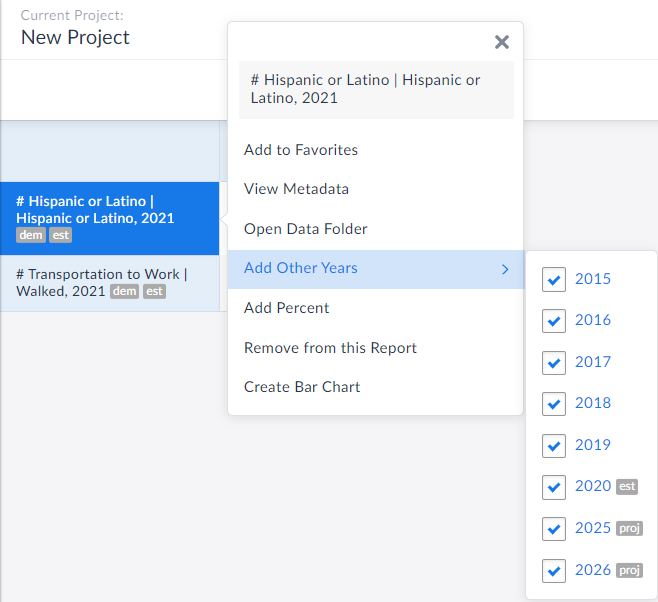
Now, when you are in a report and want to add in other years of data quickly, simply click on the variable name and refer to the Add Other Years text in the menu that displays.
In the example below, the chosen data variable is # Hispanic or Latino Population for the year 2021, but notice in the Add Other Years option, you are now welcome to instantly add in years from 2015, 2016, 2017, 2018, 2019, 2020, 2025 and 2026.
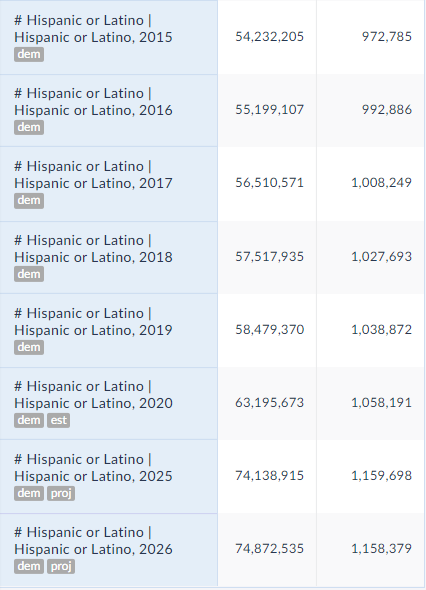
 All you need to do is select the desired year(s), close out the menu/click away and voila! The new years are automatically added to your report:
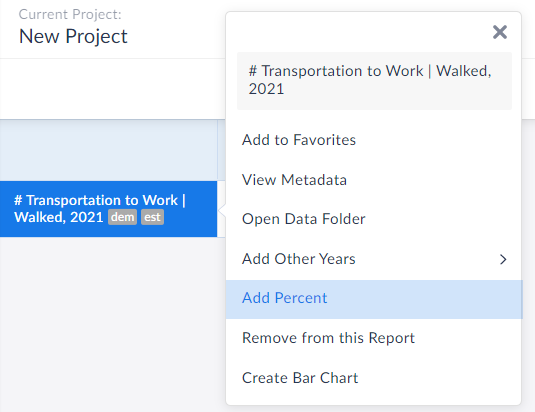
 Equally great is that users now have the ability to add in the other variation of your presently selected variable. For example, if you have # of adults walking to work in your report, you can immediately add in the % variation. This is also available from within the variable menu.
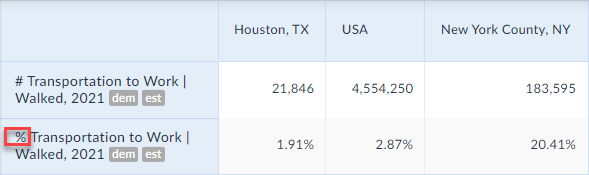
 The percent version is now added to your report:
 Create Data Table from Visualizations
We also wanted to update readers on this wonderful new feature that has flown under the radar, but is extremely useful.
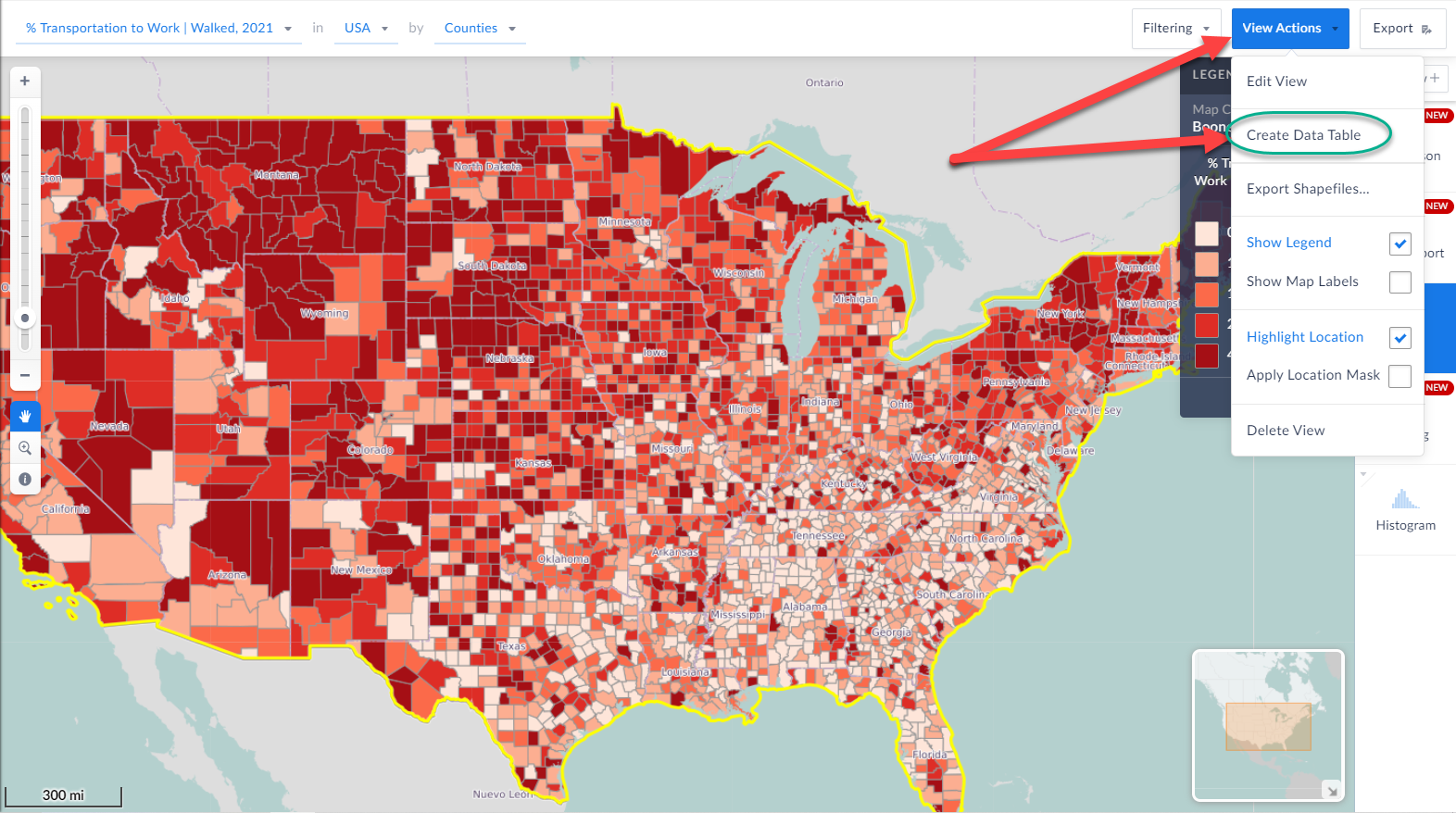
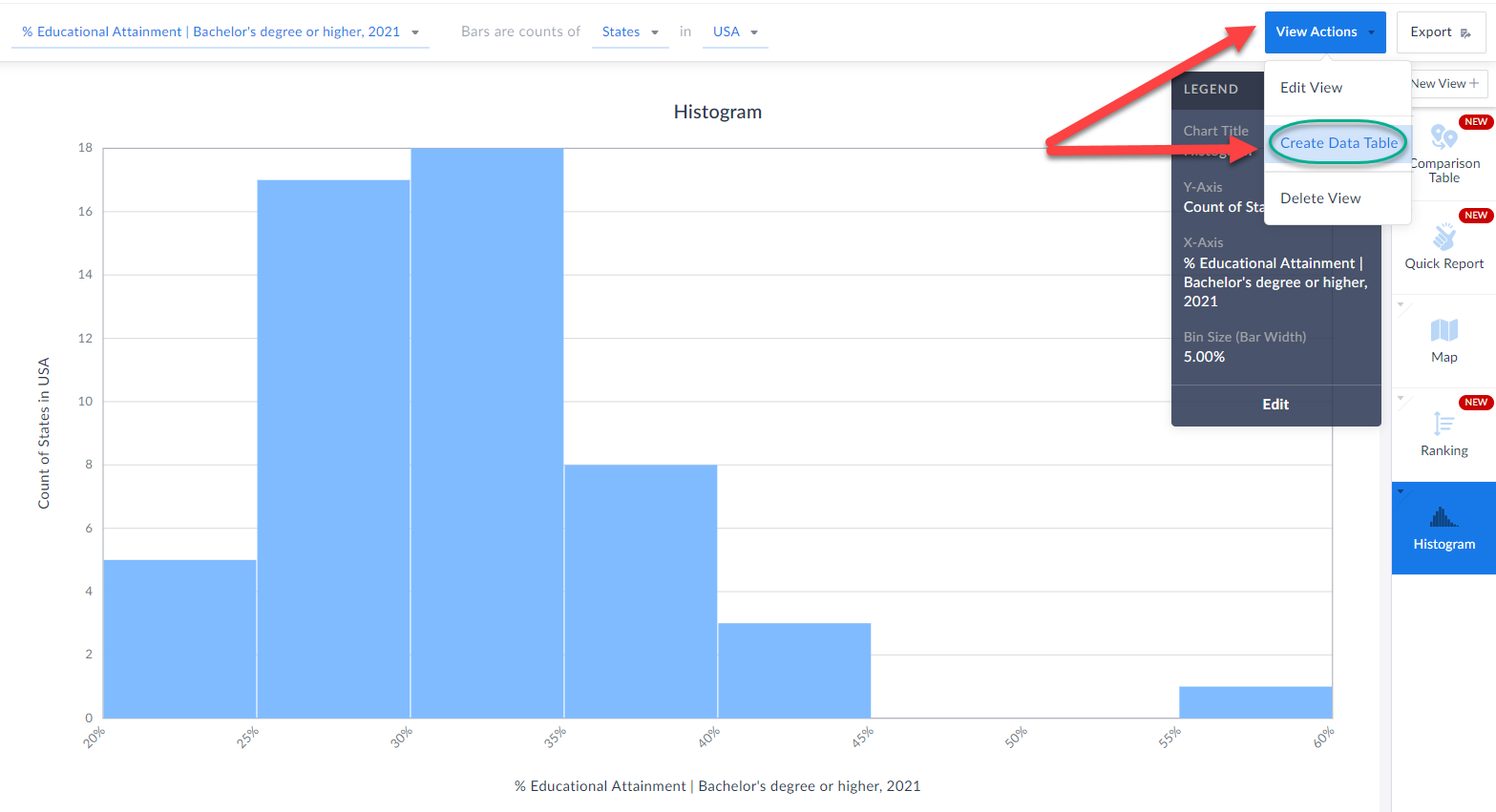
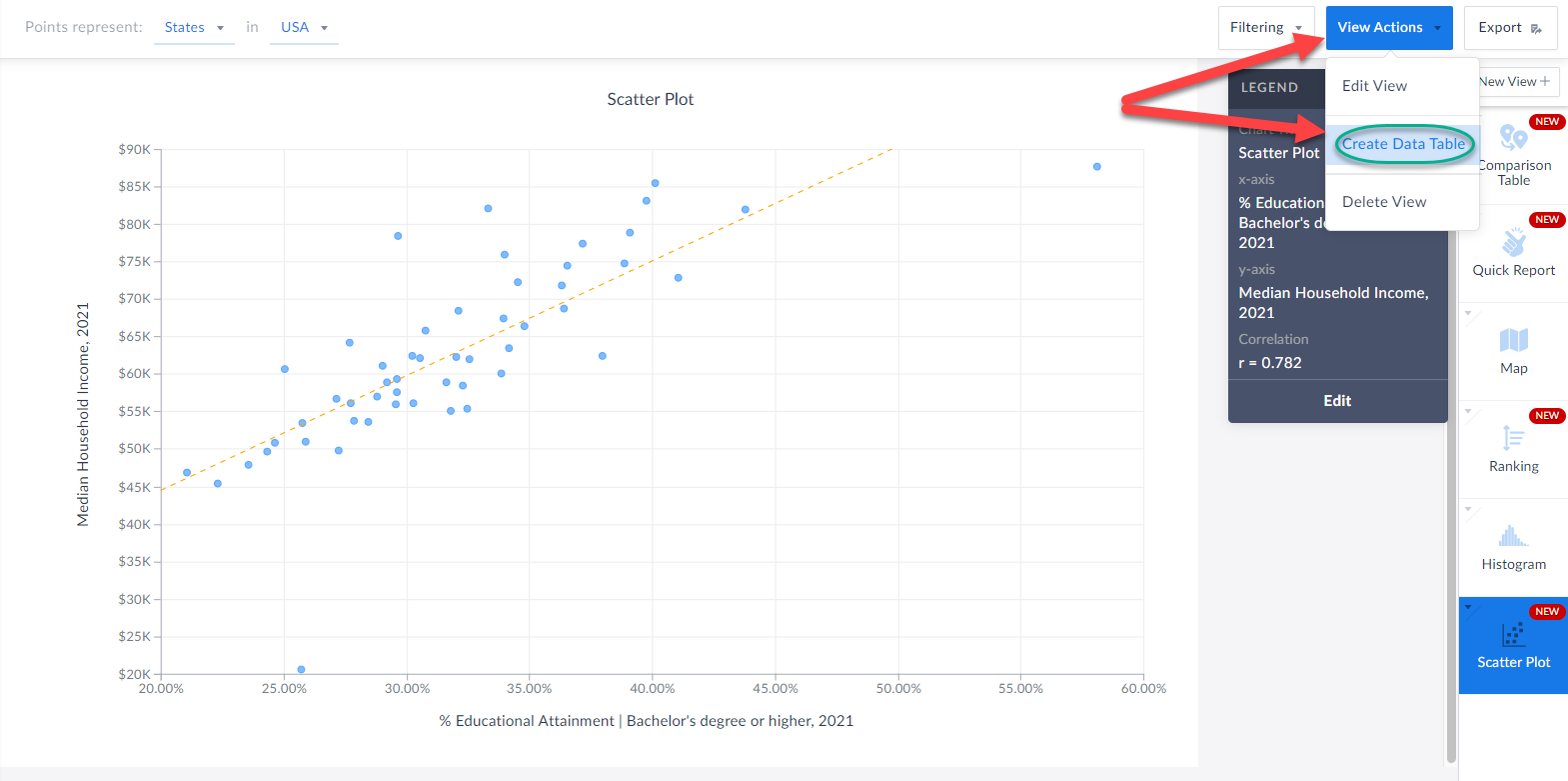
When you are in a visualization such as a map or histogram or bar chart, you are now able to instantly create a data table based on the underlying data of the visualization.
Check it out!
All you have to do is click on View Actions > Create Data Table and SimplyAnalytics will automatically generate a table for you. How cool is that?!
Create Data Table from Visualizations
We also wanted to update readers on this wonderful new feature that has flown under the radar, but is extremely useful.
When you are in a visualization such as a map or histogram or bar chart, you are now able to instantly create a data table based on the underlying data of the visualization.
Check it out!
All you have to do is click on View Actions > Create Data Table and SimplyAnalytics will automatically generate a table for you. How cool is that?!
 We hope you enjoy these new enhancements to SimplyAnalytics - thank you as always for sending us these types of suggestions for improvements, we do listen!
Have a wonderful remainder of 2021, and as always please feel free to email us at anytime at: support@simplyanalytics.com
We hope you enjoy these new enhancements to SimplyAnalytics - thank you as always for sending us these types of suggestions for improvements, we do listen!
Have a wonderful remainder of 2021, and as always please feel free to email us at anytime at: support@simplyanalytics.com
All you need to do is select the desired year(s), close out the menu/click away and voila! The new years are automatically added to your report:
Equally great is that users now have the ability to add in the other variation of your presently selected variable. For example, if you have # of adults walking to work in your report, you can immediately add in the % variation. This is also available from within the variable menu.
The percent version is now added to your report:
Create Data Table from Visualizations
We also wanted to update readers on this wonderful new feature that has flown under the radar, but is extremely useful.
When you are in a visualization such as a map or histogram or bar chart, you are now able to instantly create a data table based on the underlying data of the visualization.
Check it out!
All you have to do is click on View Actions > Create Data Table and SimplyAnalytics will automatically generate a table for you. How cool is that?!
We hope you enjoy these new enhancements to SimplyAnalytics - thank you as always for sending us these types of suggestions for improvements, we do listen!
Have a wonderful remainder of 2021, and as always please feel free to email us at anytime at: support@simplyanalytics.com
More from SimplyAnalytics


Posted on Dec 15, 2014 by Admin
Visit the SimplyMap team at the ALA Midwinter Meeting in Chicago late January. We will be at booth #2824 offering product demonstrations, tips & tricks, and of course Ghirardelli Choc...
Posted on Nov 06, 2014 by Admin
With over 75,000 variables in SimplyMap, you can find virtually any information you want. This week, we take a look at which U.S. locations spend the most money eating at restaurants or c...
Posted on Dec 02, 2019 by Admin
Hi everybody! We’re back this week with another question from our Help Desk. This time featuring SimplyAnalytics Canada. Let’s get started! Question: How can I analyze all of the PRIZM5 s...
Posted on Nov 06, 2019 by Admin
Hello readers! We hope you’re having a wonderful week. Today we feature another entry from our From the Help Desk series. Let’s get started! Question: How do I analyze data for downtown? ...
Posted on May 19, 2015 by Admin
We will be attending ALA this summer in San Francisco (hint: dress warm!). Visit us at Booth 413 and don't forget to enter our raffle - we will be giving away a $100 gift certificate to A...
Posted on Apr 21, 2015 by Admin
In this week’s edition of exploring SimplyMap data, we spotlight the Consumer Buying Power® data package in SimplyMap. What is it? The Nielsen Consumer Buying Power® database incorporates...
Posted on Feb 25, 2020 by Admin
SimplyAnalytics will be exhibiting at the PLA Conference, held this year at the Music City Center in Nashville, TN on February 26 - 28. Visit the team at Booth 1444 with your questions, f...
Posted on Dec 11, 2023 by Admin
Hello readers! We have some fantastic news to share. SimplyAnalytics is thrilled to announce the addition of 2020 Election data to our expanding collection of powerful datasets. With this...
Posted on Jun 25, 2015 by Admin
In this week’s SimplyMap report, we review the different options available when searching for a business. The easiest and fastest method of mapping businesses or creating a business repor...