 Go up
Go up


SimplyMap Tip - Choosing the Correct Report
Posted on Jan 23, 2015 by Admin
SimplyMap offers a total of 5 unique types of reports: Standard Report, Ranking Report, Business Report, Ring Study, and Location Analysis. This brief write up will define what each report does, and provide a real-world example of each.
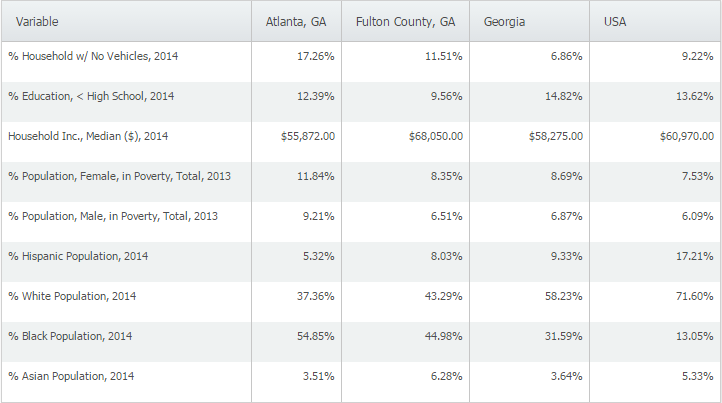
Standard Report definition - a table comparing multiple variables across several locations/location types.
Standard Report real-world use - you are applying for a grant for your city, and would like to analyze some socioeconomic variables to compare your city against the county, state, and United States.
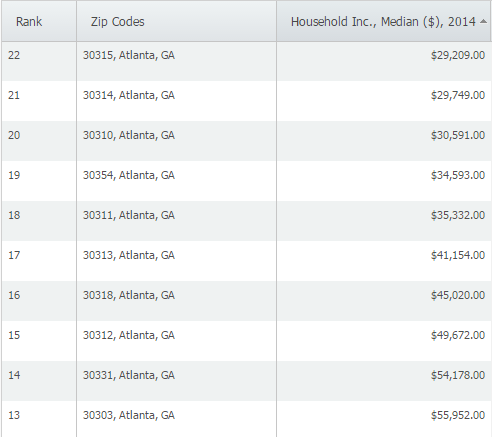
Ranking Report definition - a table ranking up to 250 locations within a single geography (ex. zipcodes within a city) and single data variable.
Ranking Report real-world use - you are looking for a target area to open up a social program for low income areas and want to rank ZIP Codes in Atlanta, GA from lowest median income up.
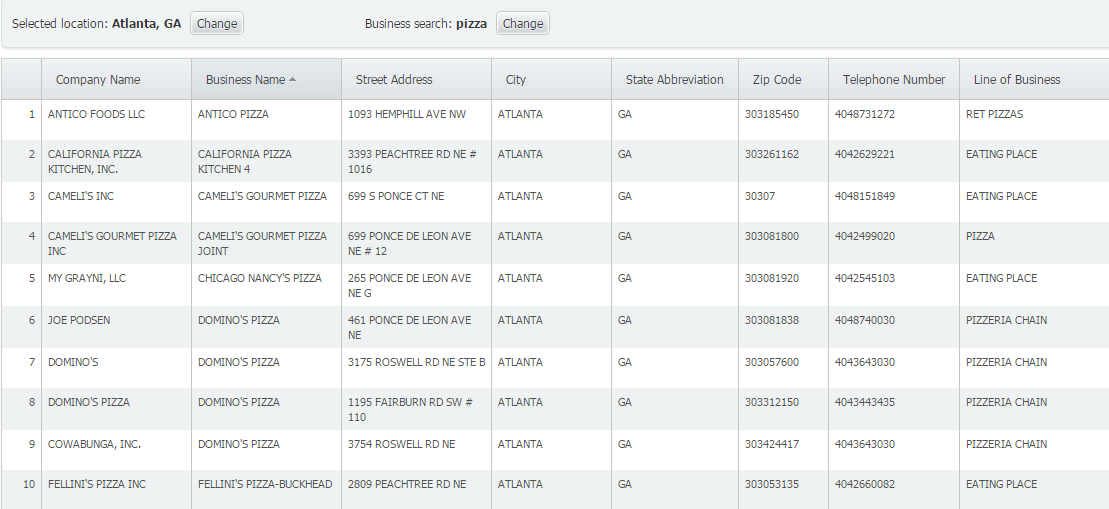
Business Report definition - generates a report showing all businesses that meet your search criteria within a given location.
Business Report real-world use - you are thinking of opening up a pizza restaurant in a city, so you want to see a list of how many pizza restaurants already exist close to your desired location.
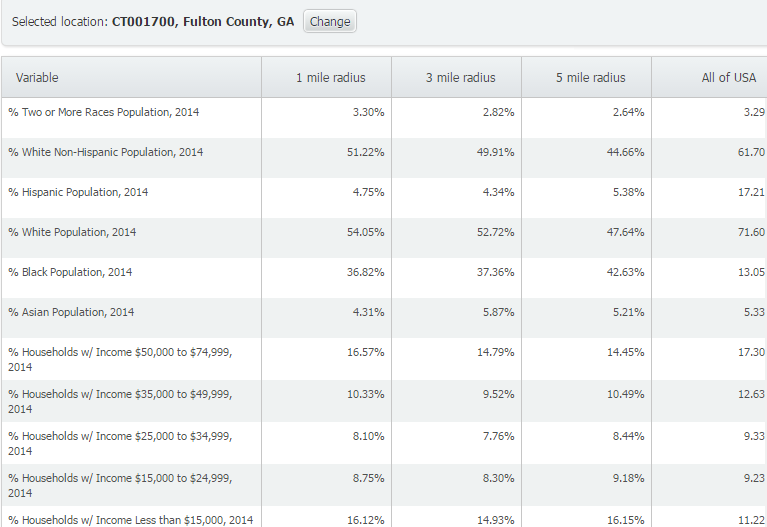
Ring Study definition - a demographic analysis of a target area based on a 1, 3, or 5 mile (or kilometer) radius around a location.
Ring Study real-world use - use to compare different variables in the immediate area, within a specified radius around the selected location.
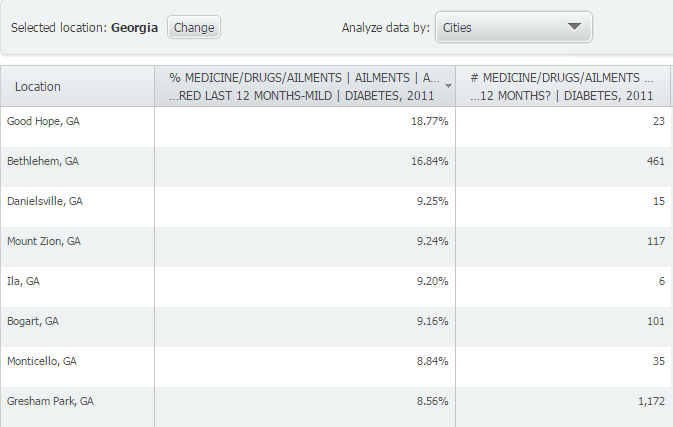
Location Analysis definition - view & compare data for all counties in a state, ZIP codes in a city, census tracts in a county, etc.
Location Analysis real-world use - A medical equipment provider may review health data in a Location Analysis to identify cities in the state to consider visiting to market equipment for an ailment.
Stay tuned for more SimplyMap tips, and don’t forget to follow us on Twitter and like us on Facebook!
More from SimplyAnalytics


Posted on Nov 22, 2016 by Admin
We will be exhibiting at ALA Midwinter in Atlanta, Georgia in January. You can find the GRI team at Booth 1155, where we will be catching up with customers old and new, and sharing some e...
Posted on Mar 10, 2011 by Admin
The GRI team is looking forward to exhibiting at ACRL 2011 at the PA Convention Center in Philadelphia, March 30 - April 1, 2011. Every other year, ACRL offers its premier professional d...
Posted on Apr 30, 2020 by Admin
We find ourselves in the middle of an unprecedented crisis the likes of which most of us have never experienced before, and hopefully won’t have to experience again. There is the occasion...
Posted on Sep 15, 2016 by Admin
While creating a radius location is the fastest and easiest method for creating a custom location, there may be situations that require a more specific and targeted locale. Let’s say for ...
Posted on Mar 13, 2023 by Admin
Hello readers! Today, we’re excited to officially introduce the Location Query Report in SimplyAnalytics. The Location Query Report is a powerful feature in SimplyAnalytics that allows us...
Posted on Mar 04, 2014 by Admin
March 11-15 Indianapolis, Indiana The Public Library Association is prepared for another week of events, workshops and special appearances for librarians and authors. Visit our exh...
Posted on Oct 08, 2008 by Admin
Geographic Research, Inc. (GRI) is pleased to sponsor the fourth annual American Collegiate Retailing Association’s Undergraduate Student Retail Analysis Competition. This is the second ...
Posted on Sep 01, 2008 by Admin
The King County Library System in Washington State now subscribes to SimplyMap, and has published a brief review on their blog, Library Talk.
Posted on Nov 19, 2019 by Admin
Hello readers! Today we are bringing you a new blog entry inspired by a recent Help Desk question. If you ever have any questions about SimplyAnalytics, please do not hesitate to reach ou...
Posted on Aug 02, 2016 by Admin
Did you know that you can use SimplyMap to identify which make and model of vehicle is most prevalent within any location in the United States? In this week’s SimplyMap report, we’ll take...