 Go up
Go up


Feature Spotlight: Custom Combination Location
Posted on Nov 03, 2017 by Admin
This week we’ll talk about one of our favorite features in SimplyAnalytics - the custom combination location. This feature is a simple and effective means to create custom geographies where you’re able to specify the exact makeup for. Let’s jump in.
Why would I want to use this feature?
Sometimes you may want to study a neighborhood in your city, or area that you know of that isn’t necessarily a formal geography itself. One of the common questions we get asked is, “How do I get data for “my neighborhood” or “downtown”?” and that’s a fair question - the problem is, “my neighborhood” or “downtown” is not a formal Census geography, but it’s probably a combination of a few CTs or ZIP Codes. That’s where the Custom Combination Location feature comes into play.
How to Use It:
In this example, we’re going to make the Greenwich Village and Soho neighborhoods in Manhattan.
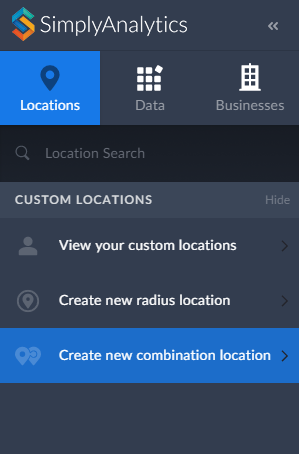
1. Click on Create New Combination Location found within the Locations tab towards the left of the screen.
2. Give your location a name.
3. Enter in the locations that comprise your target area - in this case, the Greenwich Village and Soho neighborhoods consist of ZIP Codes: 10012, 10013 and 10014.
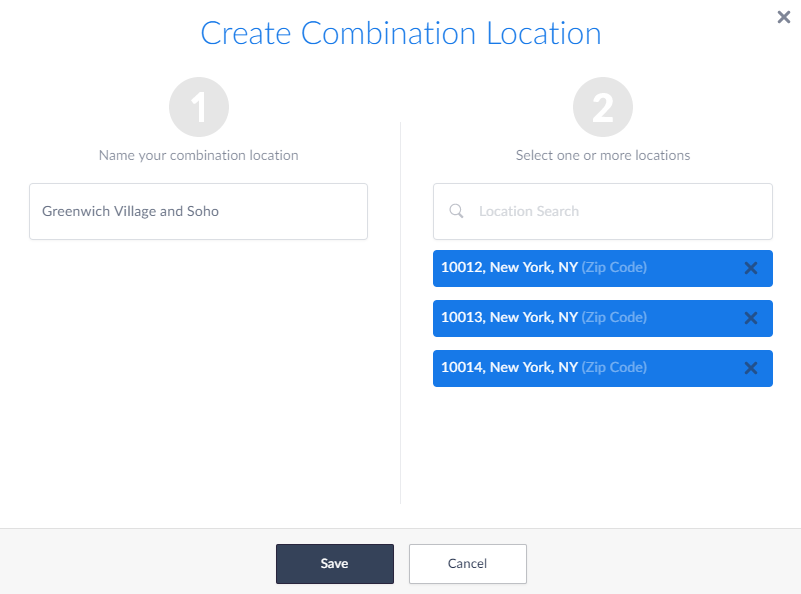
4. Select Save
Use your Location:
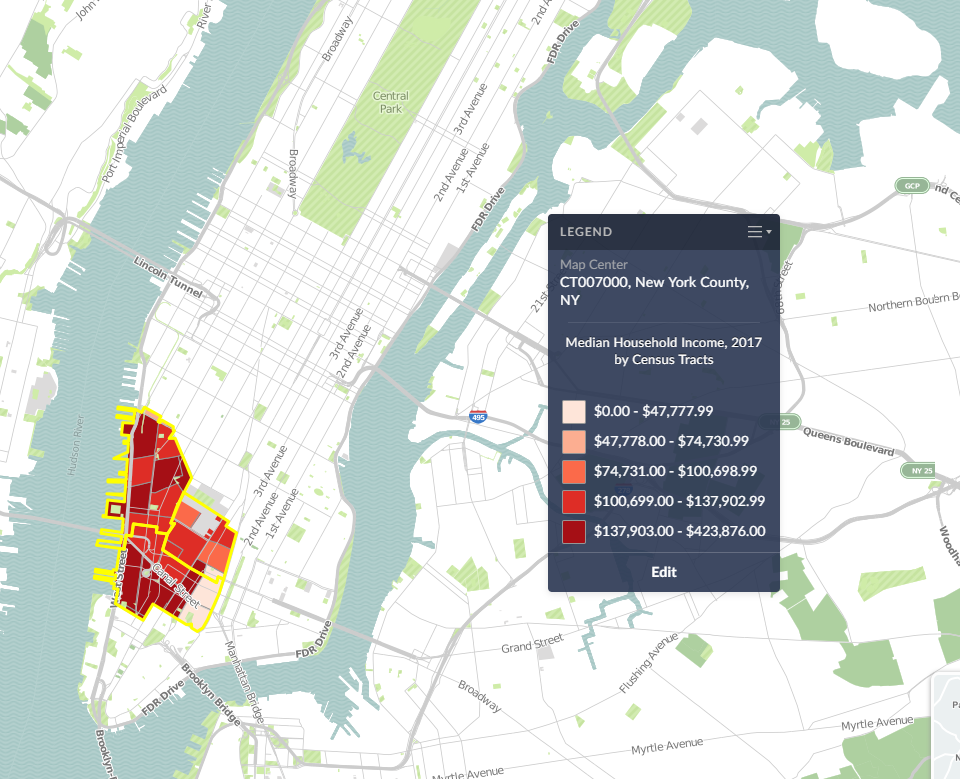
Now that your custom location is saved, you are free to use it in Maps and reports. Your custom location will be stored within the View your Custom Locations option in the Locations tab.
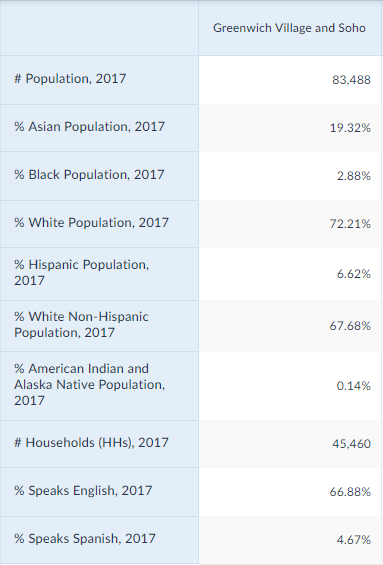
SimplyAnalytics will calculate the #, % and Average variables for you in reports:
And that’s it for today! In a future post, we’ll talk about creating combination locations from your recently used and favorite locations.
More from SimplyAnalytics


Posted on Mar 14, 2010 by Admin
The GRI team was honored to learn that SimplyMap was included in this year's Choice Outstanding Academic Title List, published in the January 2010 issue of Choice Magazine. This is a grea...
Posted on Mar 11, 2024 by Admin
We're thrilled to announce that SimplyAnalytics will be exhibiting at the ALA Annual Conference in San Diego! We can't wait to connect with library professionals, share insights, and show...
Posted on Nov 11, 2015 by Admin
Inspired by a recent help desk ticket, we wanted to discuss how users may utilize SimplyMap to identify relationships between unique variables. For example, does having a college degree s...
Posted on Jan 29, 2016 by Admin
In a previous blog entry, we highlighted the benefits of having multiple years of data available for the same variable. This allows users to identify trends over time. Keeping with the sa...
Posted on Dec 07, 2011 by Admin
We will be exhibiting at the American Library Association Midwinter Meeting & Exhibition in Dallas this January. Visit us at booth 2513 for a demonstration and to have all your Simply...
Posted on Jul 22, 2015 by Admin
In this week’s SimplyMap report, we take a look at one of our newly available data packages - ConneXions® from Nielsen. The ConneXions® segmentation system integrates consumer behavior an...
Posted on May 15, 2015 by Admin
In this week’s SimplyMap report, we want to share with you the many options available when exporting maps in SimplyMap. In SimplyMap, when a user selects Export Map Image from the Actions...
Posted on Jul 14, 2009 by Admin
Men's Health continues to utilize SimplyMap to identify and rank U.S. cities. This time they are studying "sports-obsessed citizenry," and here is how they did it: Our stat showdown began...
Posted on Oct 29, 2015 by Admin
Did you know that SimplyMap allows you to search for businesses by NAICS or SIC codes? Searching by these codes is a great alternative to the general keyword search. Using the keyword sea...
Posted on May 24, 2023 by Admin
SimplyAnalytics is excited to attend. Swing by booth 1733 for a brief demo, and discover how our user-friendly demographics, business, health & marketing data analytics and visualizat...