 Go up
Go up


Exploring SimplyMap Data: SimmonsLOCAL Lifestyle Statements
Posted on Jun 08, 2015 by Admin
In this week’s report we take a look at one folder found within SimplyMap’s SimmonsLOCAL data package. SimmonsLOCAL is a powerful targeting and profiling system that provides insights into consumer behavior for all of America's 210 media markets on a local level with 60,000+ data variables, including over 450 categories and 8,000 specific brands.
The folder we are looking at today is the Lifestyle Statements folder. Here you will find 26 unique lifestyle statement subcategories ranging from attitude and opinions on apparel, to diet and health statements. The picture below shows the options available.
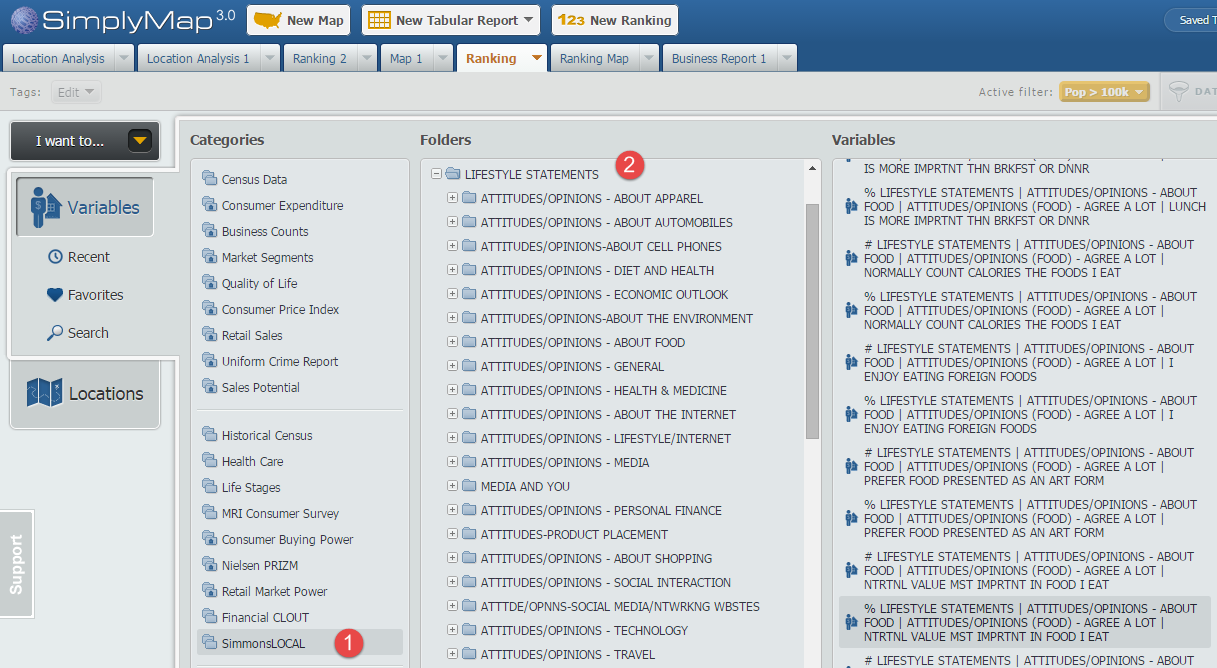
In this showcase we will create a Ranking Report using the variable statement AGREE A LOT - NUTRITIONAL VALUE MOST IMPORTANT IN FOOD I EAT. This can be found at this path:
SimmonsLOCAL » LIFESTYLE STATEMENTS » ATTITUDES/OPINIONS - ABOUT FOOD » ATTITUDES/OPINIONS (FOOD) - AGREE A LOT
First, select New Ranking found at the top of SimplyMap. Next, click on Variables and navigate through the above path to locate the variable.
Under locations, select USA as your geography and use the Analyze Data By functionality to select Cities.
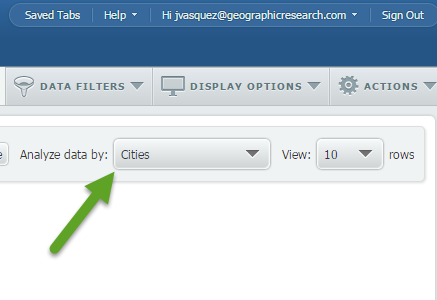
Apply a population filter (read more about using filters here) to only show cities with 100,000 or more residents, and the final result will look like this:
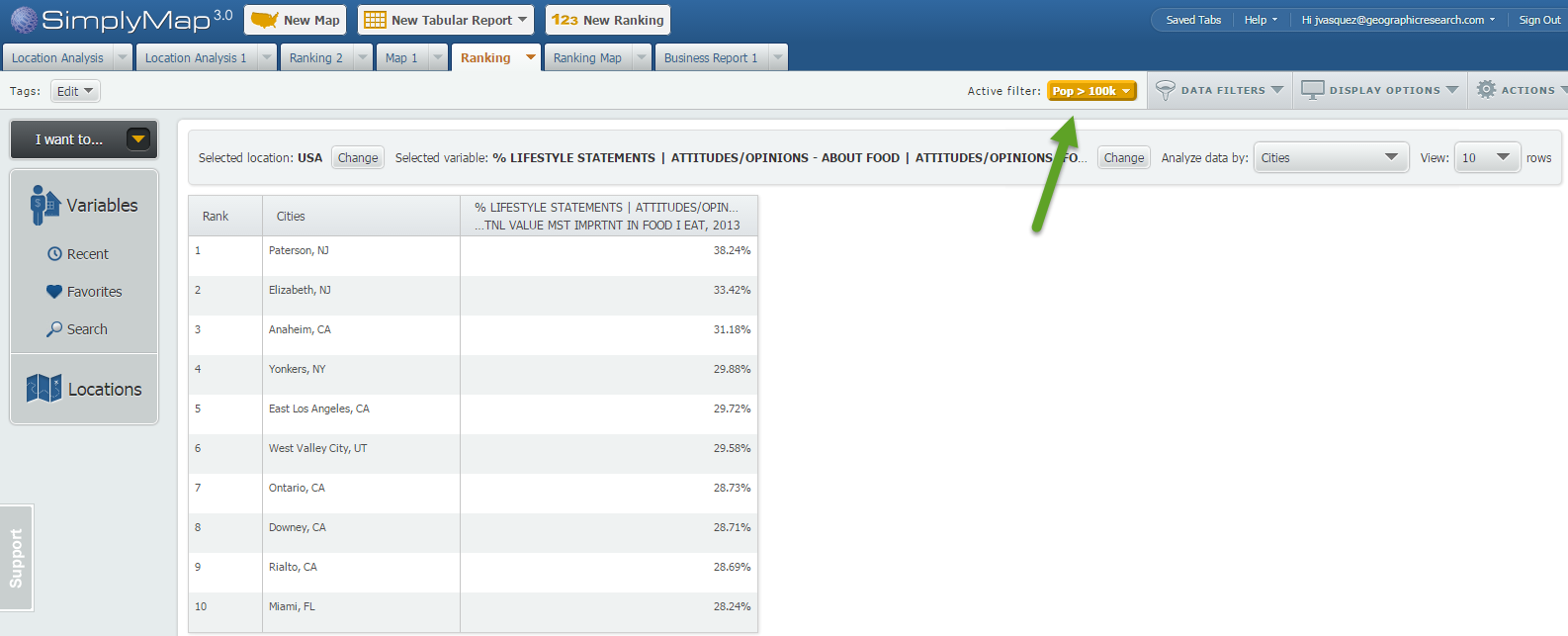
Note: you can see your applied filter located towards the top of your report by the Active Filter text.
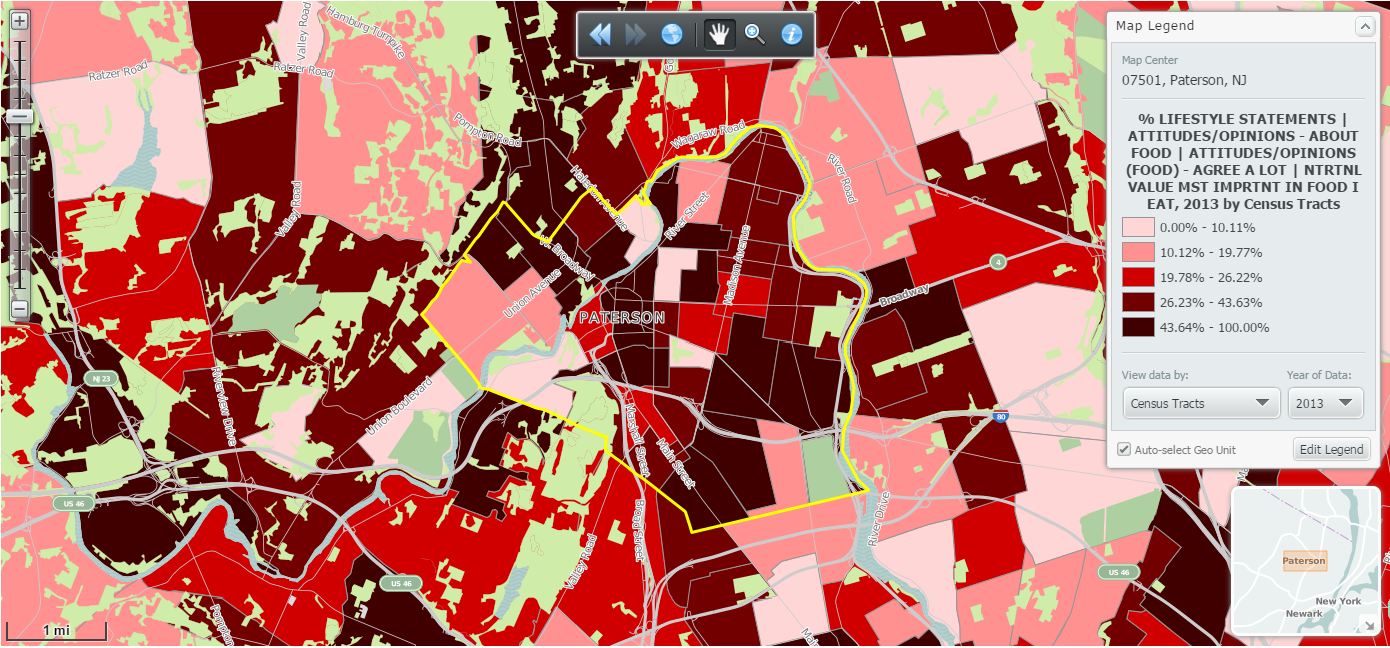
At 38.24% Paterson, NJ ranks first in the United States (cities > 100k) for folks who agree a lot with the statement: NUTRITIONAL VALUE MOST IMPORTANT IN FOOD I EAT.
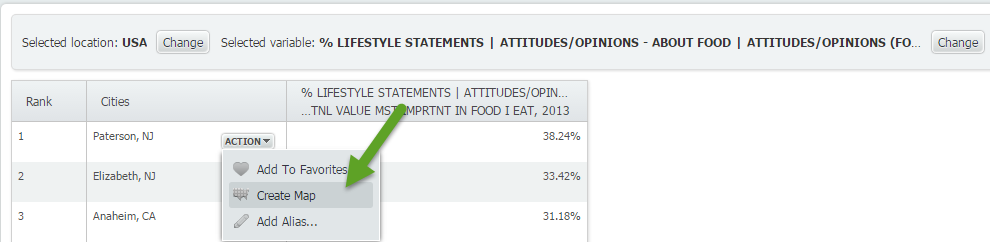
To quickly map Paterson, NJ hover over the location and select Create Map:
Map of Paterson, NJ:
We hope you enjoyed this look into the SimmonsLOCAL data set. With over 60,000 variables in the package, we will be posting many more variable spotlight reports.
Don’t forget to follow us on Twitter, and Like Us on Facebook to stay up to date with SimplyMap.
More from SimplyAnalytics


Posted on Dec 11, 2015 by Admin
With the final week of the college football season in the books, and bowl game selections having just taken place, we wanted to search within SimplyMap to see if any data pertaining to co...
Posted on Dec 02, 2014 by Admin
Today we take a look at one of the more advanced features in SimplyMap - editing the map legend. Editing the map legend is a great way to not only customize how the data is distributed on...
Posted on Feb 25, 2020 by Admin
SimplyAnalytics will be exhibiting at the PLA Conference, held this year at the Music City Center in Nashville, TN on February 26 - 28. Visit the team at Booth 1444 with your questions, f...
Posted on Sep 03, 2015 by Admin
This week we explore the SimmonsLOCAL data package to find which cities in America have the highest percentage of residents enrolled in a frequent flyer program. SimmonsLOCAL is available...
Posted on Nov 19, 2019 by Admin
Hello readers! Today we are bringing you a new blog entry inspired by a recent Help Desk question. If you ever have any questions about SimplyAnalytics, please do not hesitate to reach ou...
Posted on Dec 11, 2023 by Admin
Hello readers! We have some fantastic news to share. SimplyAnalytics is thrilled to announce the addition of 2020 Election data to our expanding collection of powerful datasets. With this...
Posted on Nov 11, 2015 by Admin
Inspired by a recent help desk ticket, we wanted to discuss how users may utilize SimplyMap to identify relationships between unique variables. For example, does having a college degree s...
Posted on Nov 04, 2013 by Admin
SimplyMap 3.0 is here, and uses the latest technology to provide better performance, improved reliability, and powerful new features. There are many improvements designed to make it easie...
Posted on May 26, 2020 by Admin
Hello readers! We hope you are doing well, and thank you for your continued support of SimplyAnalytics. We are excited to announce that scatterplots are officially live! Scatter plots ar...
Posted on Dec 02, 2019 by Admin
Hi everybody! We’re back this week with another question from our Help Desk. This time featuring SimplyAnalytics Canada. Let’s get started! Question: How can I analyze all of the PRIZM5 s...