 Go up
Go up


View Spotlight: Related Data Table
Posted on Jul 30, 2018 by Admin
Hello readers! Welcome to this week’s blog. This week we will feature the Related Data Table view and how you can use it to maximize your productivity in SimplyAnalytics.
What is it?
The Related Data Table View is designed to allow you to quickly add in many similar data variables at once. For example, if you add "% Households w/ Income $50,000 to $74,999" the report will also show all of the other income ranges as well.
Some other use cases: you want to quickly add in all life-stage data variables, or PRIZM psychographic segments, or all Language variables.
Example
Identify what the top PRIZM household segment is for a ZIP Code. The PRIZM Dataset is a marketing segmentation system that allows you to understand the demographic and lifestyle/consumer traits of any location in the United States. This data is very popular within marketing departments across many large companies, and we are happy to offer it as an add on module to your subscription.
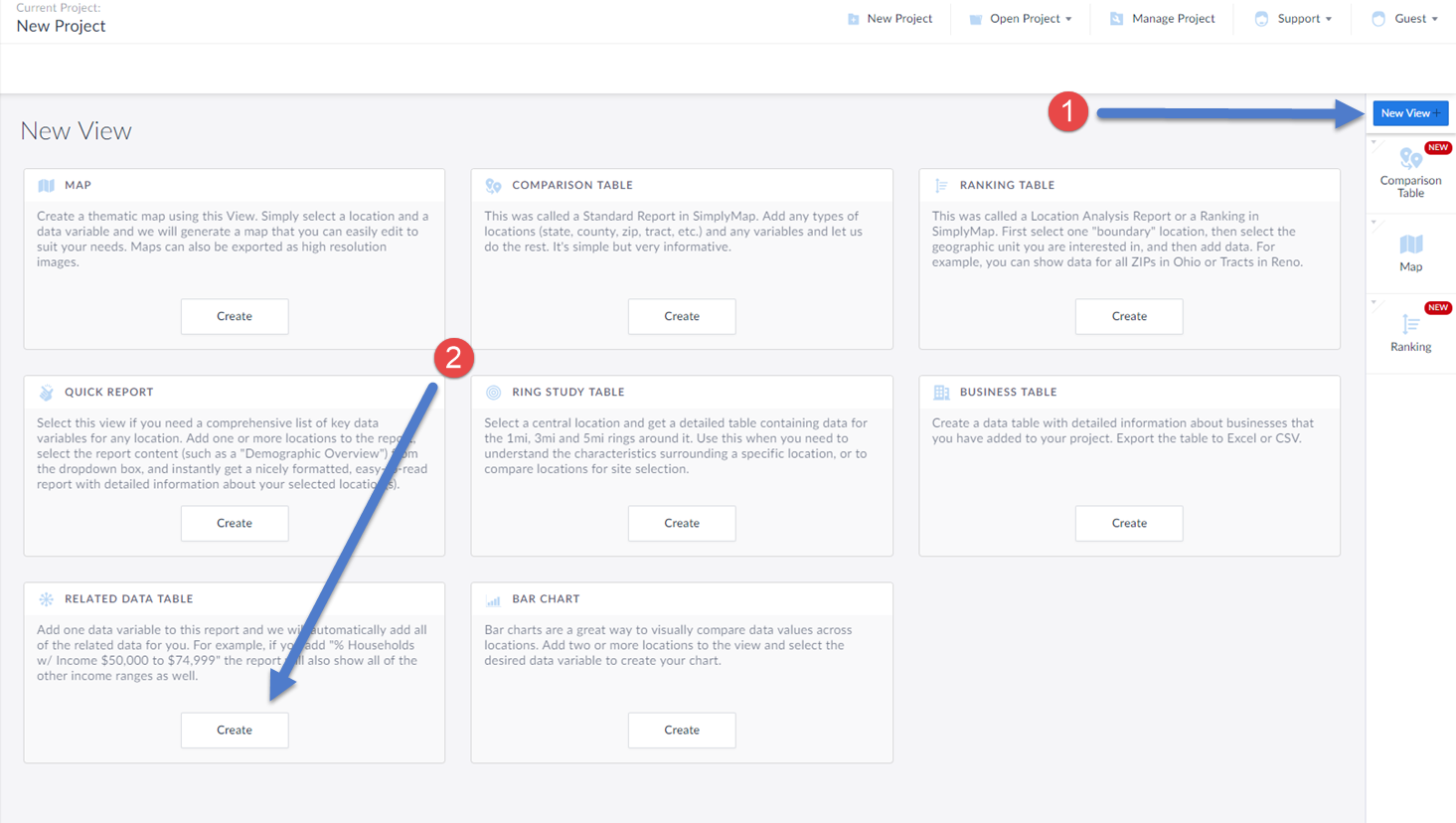
(1) Select New View from the top-right of the interface
(2) Click on the Create button under the Related Data Table section
This will open up the Edit Related Data Table screen. This is where you add in your location, and data variable. In this example, we will select a random PRIZM Premier segment. Keep in mind, this report will add in all of the segments for you.
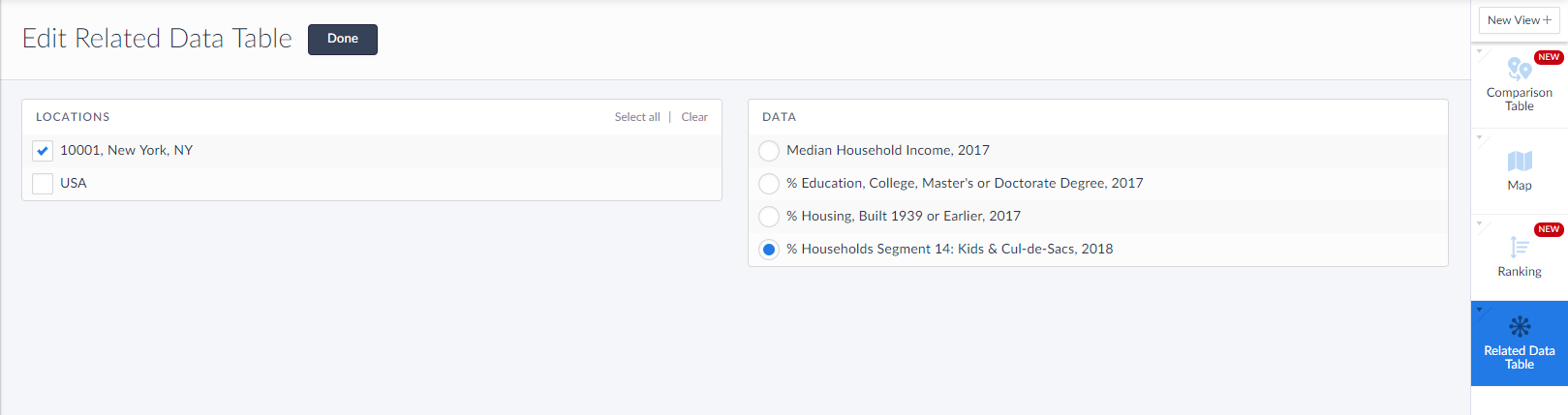
Select Done once the location and data variable have been added, and the report will generate.
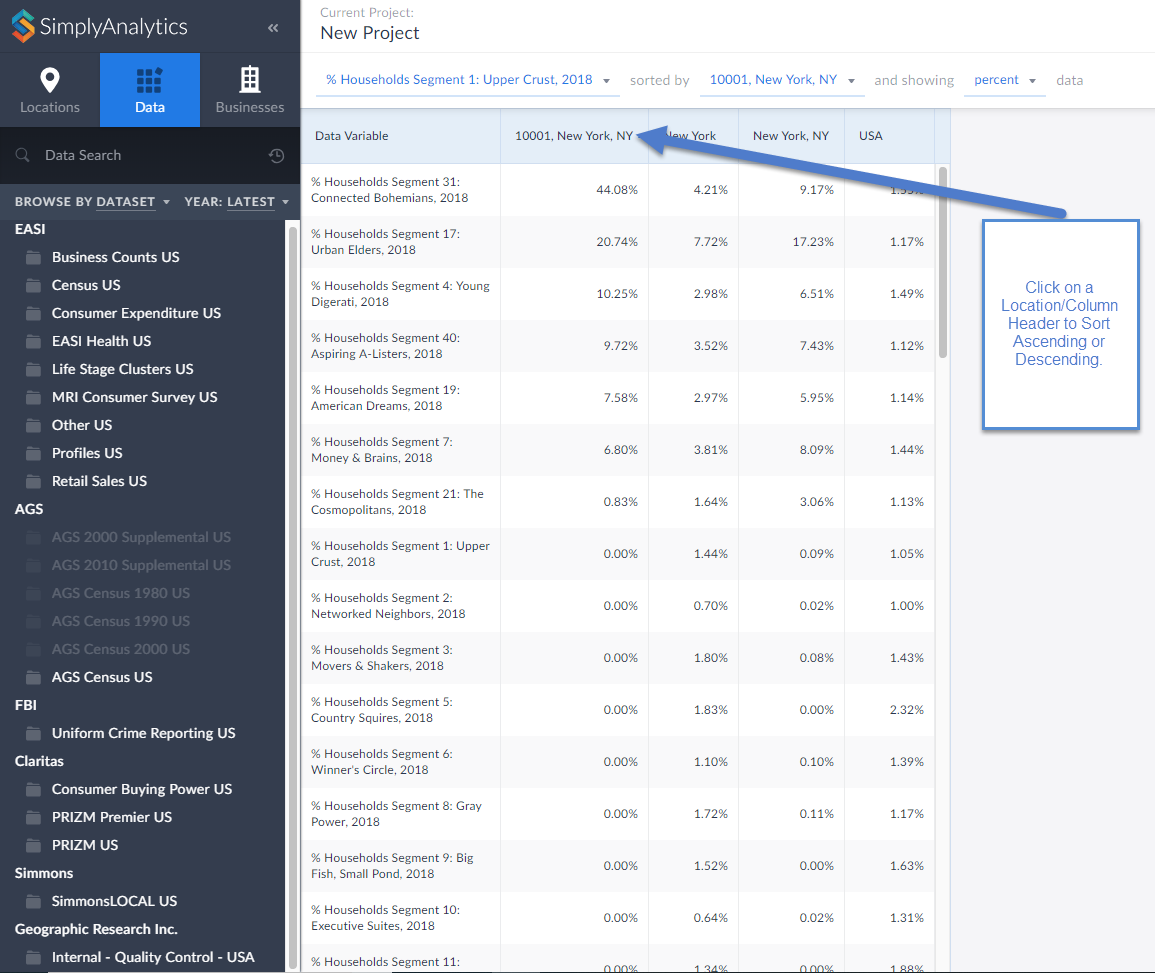
Click on the Location/column header to sort either Ascending or Descending. It looks like the ZIP Code 10001 in New York is largely classified as Connected Bohemians.
Click on the variable title to view the Metadata and learn more about this segment.
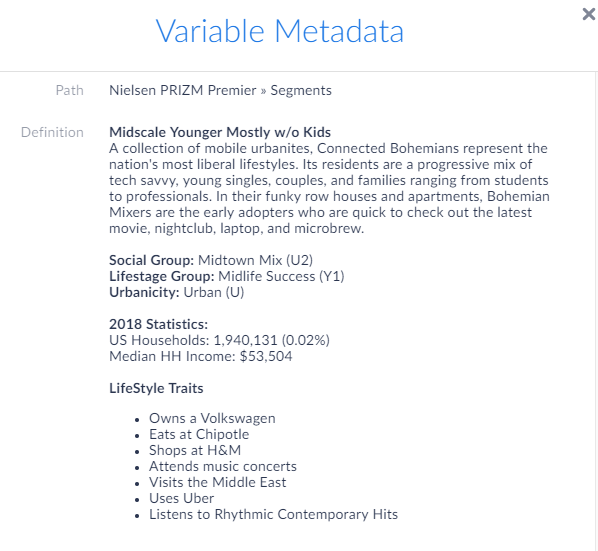
Interesting stuff! If your organization is interested in having a trial or webinar of the PRIZM dataset featured here, feel free to reach out to: support@simplyanalytics.com
More from SimplyAnalytics


Posted on Mar 02, 2009 by Admin
ACRL's 14th National Conference will be held at the Washington State Trade and Convention Center in downtown Seattle, March 12-15, 2009. Every other year, ACRL offers its premier profe...
Posted on Nov 24, 2014 by Admin
In this week’s report, we research America’s most educated cities. SimplyMap contains a total of 111 educational attainment variables, including general population and by race. We used th...
Posted on Sep 27, 2019 by Admin
Hello readers! This week we provide an in-depth response to a question asking about the legend classification methods in SimplyAnalytics. This response is now part of our Help Center: htt...
Posted on May 24, 2023 by Admin
SimplyAnalytics is excited to attend. Swing by booth 1733 for a brief demo, and discover how our user-friendly demographics, business, health & marketing data analytics and visualizat...
Posted on Feb 05, 2015 by Admin
Our Winter Sweepstakes has begun! Enter to win an iPad Mini 3 or Kindle Fire. How to Enter: Follow @SimplyMap on Twitter Like our SimplyMap Facebook Page for a 2nd Chance to Win If you ...
Posted on Jul 22, 2015 by Admin
In this week’s SimplyMap report, we take a look at one of our newly available data packages - ConneXions® from Nielsen. The ConneXions® segmentation system integrates consumer behavior an...
Posted on Jan 23, 2015 by Admin
SimplyMap offers a total of 5 unique types of reports: Standard Report, Ranking Report, Business Report, Ring Study, and Location Analysis. This brief write up will define what each repor...
Posted on Nov 17, 2014 by Admin
Our recent series Exploring SimplyMap Data Reports has focused on creating ranking reports for unique variables. Accordingly, we thought it would be helpful to write a quick tip on how to...
Posted on Jan 16, 2026 by Admin
We are excited to be exhibiting at the Public Library Association (PLA) 2026 Conference in Minneapolis this April 1-3!