 Go up
Go up


SimplyMap Tip - Choosing the Correct Report
Posted on Jan 23, 2015 by Admin
SimplyMap offers a total of 5 unique types of reports: Standard Report, Ranking Report, Business Report, Ring Study, and Location Analysis. This brief write up will define what each report does, and provide a real-world example of each.
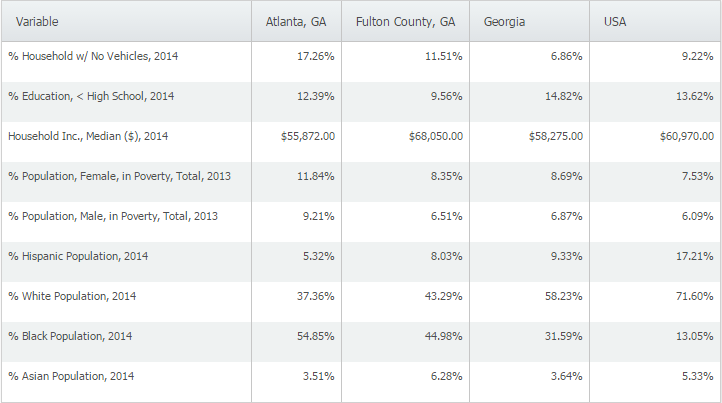
Standard Report definition - a table comparing multiple variables across several locations/location types.
Standard Report real-world use - you are applying for a grant for your city, and would like to analyze some socioeconomic variables to compare your city against the county, state, and United States.
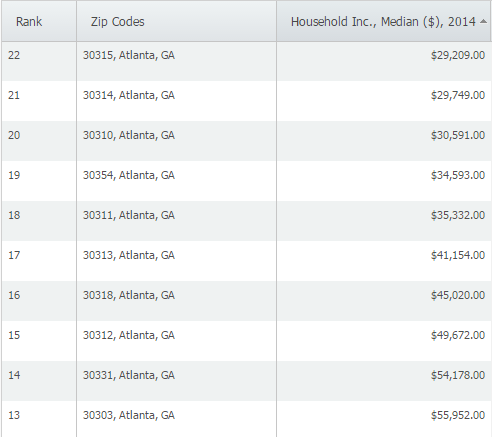
Ranking Report definition - a table ranking up to 250 locations within a single geography (ex. zipcodes within a city) and single data variable.
Ranking Report real-world use - you are looking for a target area to open up a social program for low income areas and want to rank ZIP Codes in Atlanta, GA from lowest median income up.
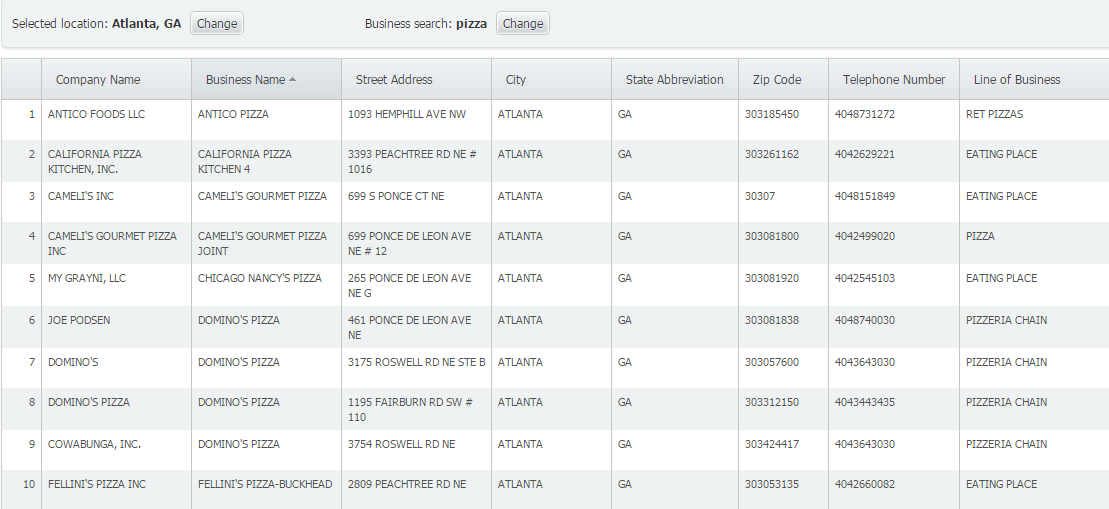
Business Report definition - generates a report showing all businesses that meet your search criteria within a given location.
Business Report real-world use - you are thinking of opening up a pizza restaurant in a city, so you want to see a list of how many pizza restaurants already exist close to your desired location.
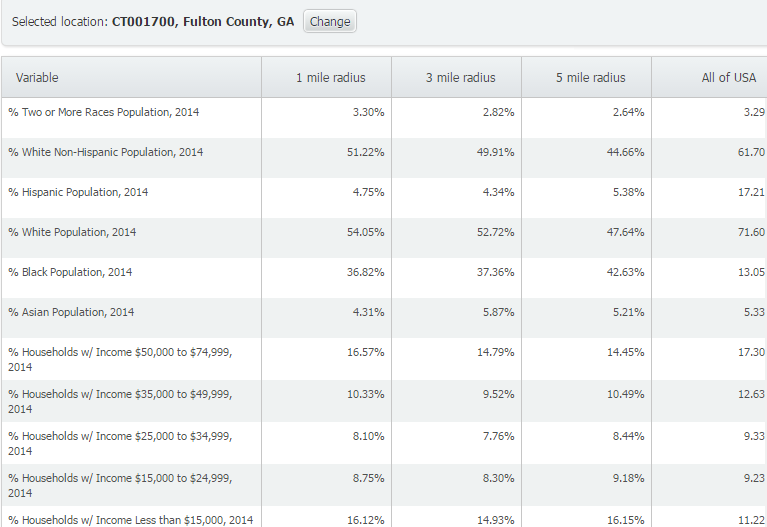
Ring Study definition - a demographic analysis of a target area based on a 1, 3, or 5 mile (or kilometer) radius around a location.
Ring Study real-world use - use to compare different variables in the immediate area, within a specified radius around the selected location.
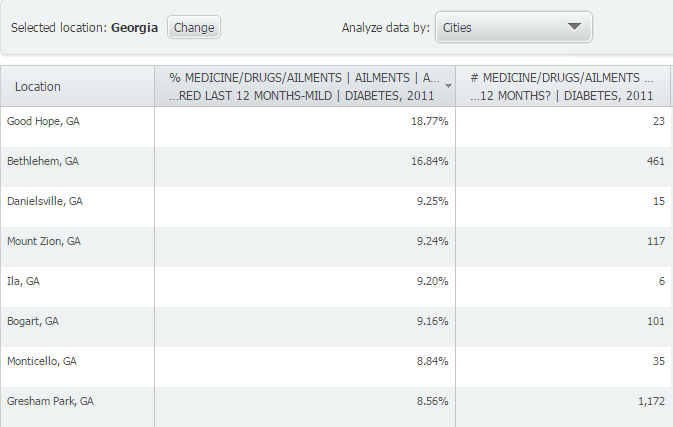
Location Analysis definition - view & compare data for all counties in a state, ZIP codes in a city, census tracts in a county, etc.
Location Analysis real-world use - A medical equipment provider may review health data in a Location Analysis to identify cities in the state to consider visiting to market equipment for an ailment.
Stay tuned for more SimplyMap tips, and don’t forget to follow us on Twitter and like us on Facebook!
More from SimplyAnalytics


Posted on Jul 22, 2015 by Admin
In this week’s SimplyMap report, we take a look at one of our newly available data packages - ConneXions® from Nielsen. The ConneXions® segmentation system integrates consumer behavior an...
Posted on May 06, 2013 by Admin
The GRI team is looking forward to exhibiting at SLA 2013 at the San Diego Convention Center, June 9th through the 11th. The Special Libraries Association (SLA) is a nonprofit global orga...
Posted on Jun 09, 2021 by Admin
Hello readers! SimplyAnalytics will be exhibiting at the Virtual ALA Annual Conference this year on June 23-26. Be sure to drop by our booth, and click the banner image to video chat with...
Posted on Nov 06, 2013 by Admin
SimplyMap includes a number of helpful support tools; guided wizards available when and where you need them, detailed help files, and an online support center with FAQs and searchable kno...
Posted on Nov 28, 2012 by Admin
Come visit the SimplyMap team at the ALA Midwinter Meeting, January 25 - 28, 2013 in Seattle, WA. We will be in Booth 1307, and as always we look forward to meeting with customers new and...
Posted on Feb 02, 2024 by Admin
We are excited to be back exhibiting at PLA this April in Columbus, OH. Join us at Booth #2631 to discover how SimplyAnalytics can help libraries understand their service area, assist sma...
Posted on Feb 25, 2020 by Admin
SimplyAnalytics will be exhibiting at the PLA Conference, held this year at the Music City Center in Nashville, TN on February 26 - 28. Visit the team at Booth 1444 with your questions, f...
Posted on Jan 17, 2011 by Admin
Come visit the Geographic Research booth at the Ontario Library Association Super Conference this season. The conference will take place on February 2-5, 2011 at the Metro Toronto Convent...
Posted on Dec 02, 2019 by Admin
Hi everybody! We’re back this week with another question from our Help Desk. This time featuring SimplyAnalytics Canada. Let’s get started! Question: How can I analyze all of the PRIZM5 s...
Posted on Feb 17, 2015 by Admin
Our recent trip to Chicago exhibiting at the ALA Midwinter Meeting inspired this week’s SimplyMap blog post. Today, we’re going to demonstrate how to use business points in SimplyMap to a...