 Go up
Go up


SimplyMap Quick Tips
Posted on Apr 27, 2015 by Admin
In this week’s write up we want to share some quick tips and tricks that you might not yet know about in SimplyMap.
TIP #1
Did you know that you can share your work? SimplyMap allows you to quickly and easily share your work with other SimplyMap users. Here’s how:
Click on the drop down by the tab you’d like to share, and click SHARE
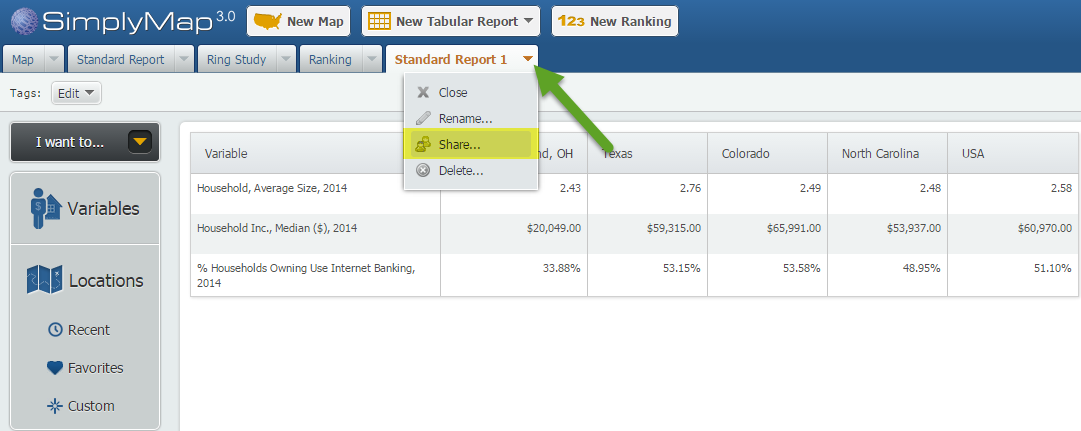
After selecting share, you will be provided with a customized URL.
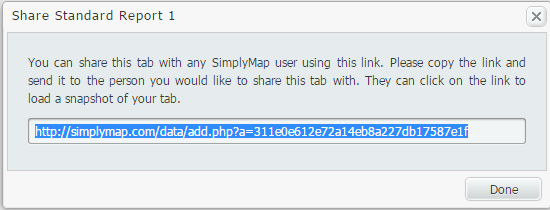
Copy and send this URL to another SimplyMap user. When the user clicks the link, they will be presented with the work you completed.
TIP #2
Accidentally closed out a tab, or trying to review some of your past work? No worries! In SimplyMap, closing out a report or map tab will not delete your work. In fact, your old work can be easily recovered and opened. Here’s how:
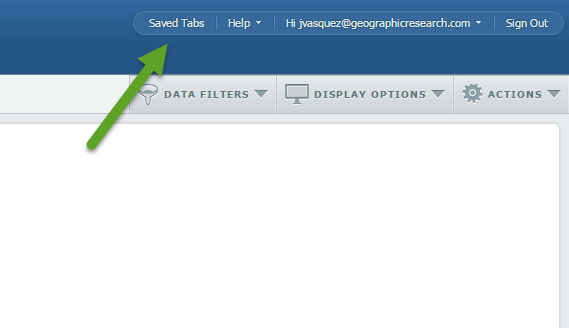
At the top right of SimplyMap, you’ll see a button for “Saved Tabs”.
Once selected, a dialog box will appear with your current tabs, and previously created reports/maps. Hover over the work in question, and select open. SimplyMap will reopen the selected report or map.
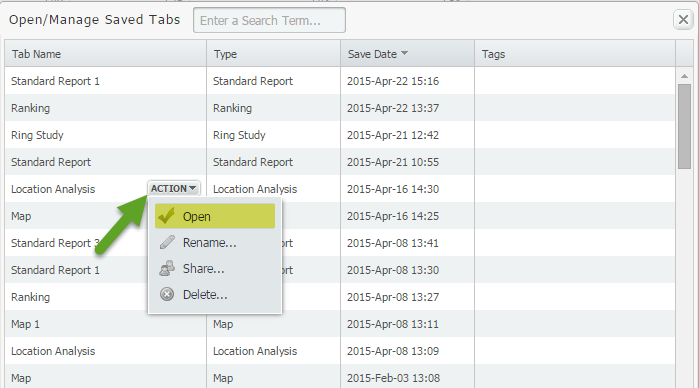
NOTE: If you select DELETE from a tab’s dropdown, your work will be permanently deleted and not stored in your Saved Tabs.
TIP #3
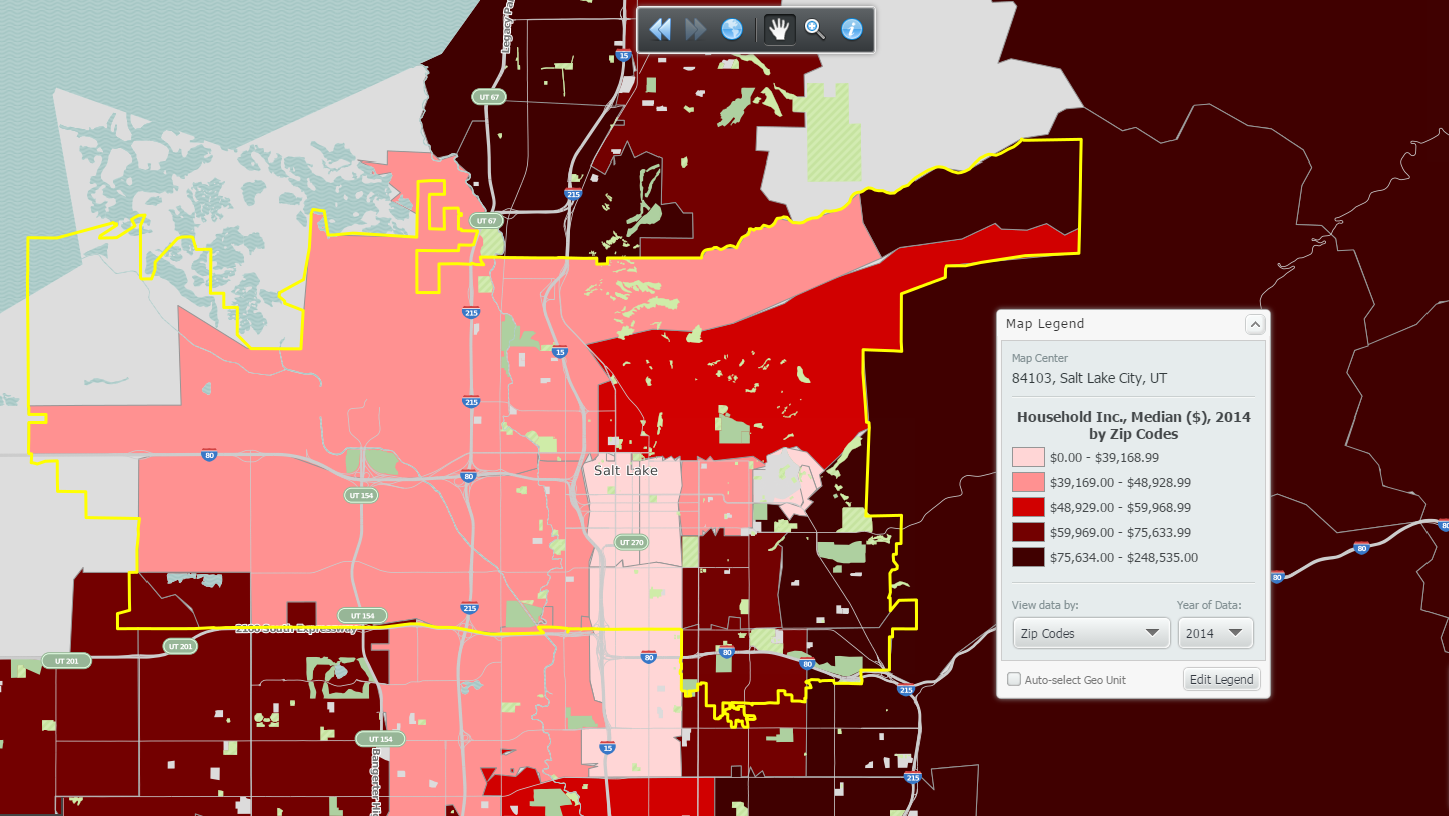
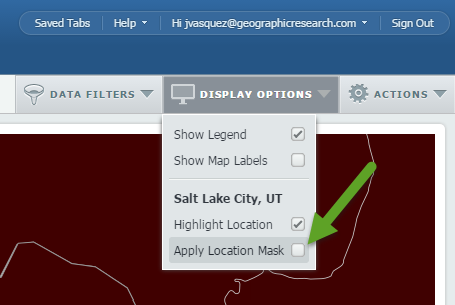
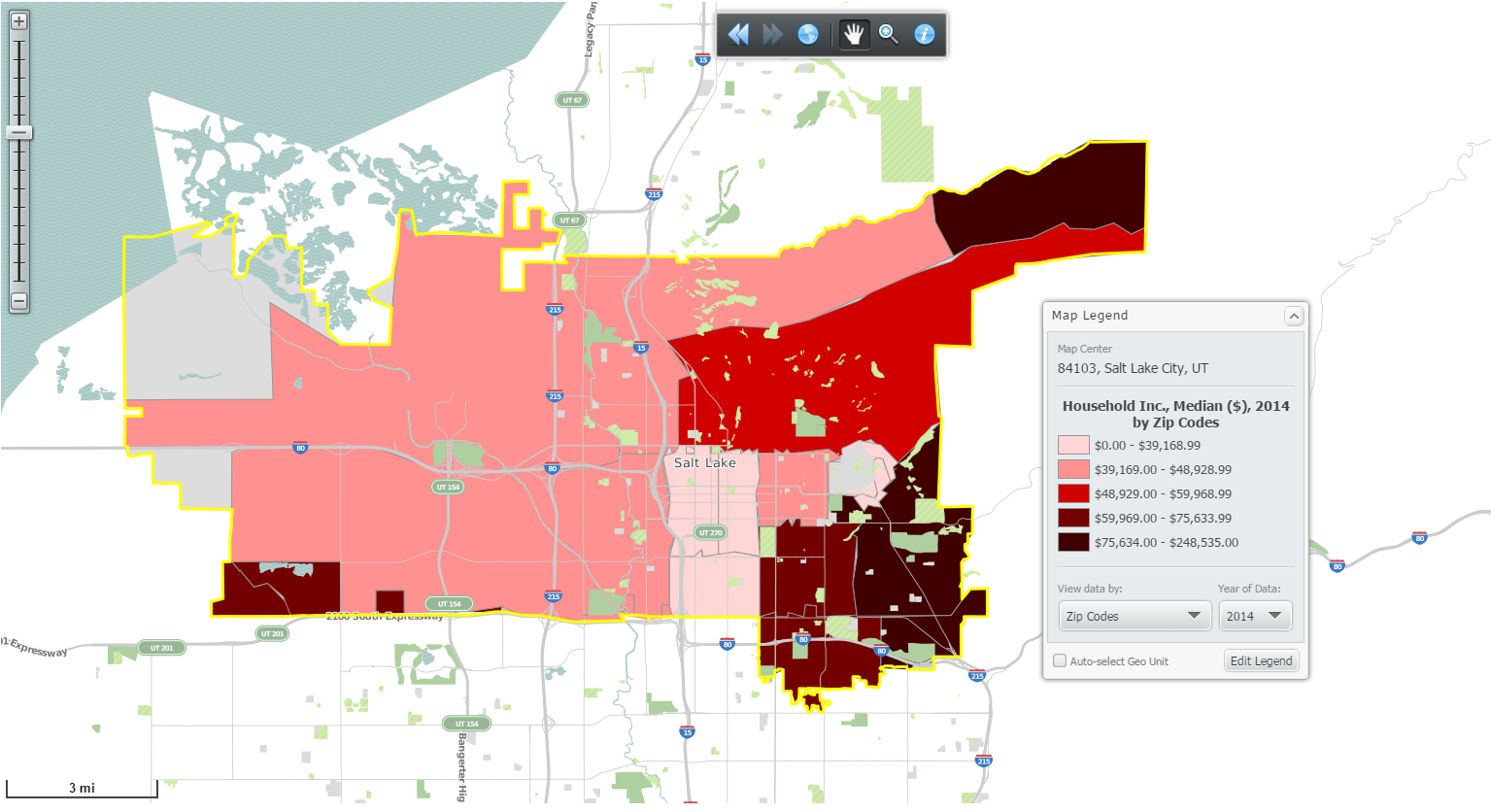
Don’t want to see colored data for the areas around your target location? Apply a location mask. Here’s a before and after shot:
Before:
 Go to Display Options > Apply Location Mask:
After:
We hope that you were able to learn from one of these quick tips. Stay tuned for more tips and interesting reports.
Don't forget to follow us on Twitter and Like Us on Facebook!
More from SimplyAnalytics


Posted on Aug 02, 2016 by Admin
Did you know that you can use SimplyMap to identify which make and model of vehicle is most prevalent within any location in the United States? In this week’s SimplyMap report, we’ll take...
Posted on Jan 23, 2024 by Admin
We are excited to again make the trip to Los Angeles for SCELCapalooza 2024 hosted at Loyola Marymount University! Please drop by our table on Wednesday, Feb. 28th to learn more about Sim...
Posted on Oct 29, 2015 by Admin
Did you know that SimplyMap allows you to search for businesses by NAICS or SIC codes? Searching by these codes is a great alternative to the general keyword search. Using the keyword sea...
Posted on Jun 08, 2023 by Admin
We are excited to announce Mansi Nishit Trivedi as the winner of the 2023 BRASS Student Travel Award sponsored by SimplyAnalytics! Mansi, a Master of Information student at Dalhousie, has...
Posted on Apr 18, 2017 by Admin
We look forward to attending the Texas Library Association Conference this week in San Antonio and visiting with the library community. Stop by our new SimplyAnalytics booth (2029) and ta...
Posted on May 17, 2012 by Admin
We will be exhibiting at the American Library Association (ALA) Conference in Anaheim Friday June 22nd - Monday June 25th. Visit us at Booth 421 to learn more about SimplyMap and enter ou...
Posted on Mar 21, 2011 by Admin
Men's Health magazine decided to crown one town America's Most Socially Networked City, and has generated quite a buzz in the process. Their survey examined the number of Facebook and Li...
Posted on Apr 30, 2008 by Admin
Doreen Harwood, Business Librarian from the University of Washington has developed a series of detailed tutorials on using SimplyMap. The tutorials, which are Flash-based and interactive,...
Posted on Apr 07, 2020 by Admin
As COVID-19 spreads across the United States researchers need access to the latest data visualization and analytics tools. As a result, the SimplyAnalytics team just added COVID-19 data ...
Posted on Sep 27, 2019 by Admin
Hello readers! This week we provide an in-depth response to a question asking about the legend classification methods in SimplyAnalytics. This response is now part of our Help Center: htt...