 Go up
Go up


Exploring SimplyMap Data: P$YCLE
Posted on Apr 28, 2016 by Admin
In this week’s SimplyMap report we’ll take a look at one of our newer data packages offered, P$YCLE® by Nielsen.
P$YCLE® is a segmentation system that evaluates consumers using key demographic factors that have the greatest effect on their financial behaviors, such as income, age, presence of children, home ownership and Nielsen' proprietary measure of Income Producing Assets (IPA). The result is a total of 58 P$YCLE® segments, within 12 P$YCLE Lifestage Groups, each with distinct usage patterns for financial and investment products and services.
Let’s take a look at the top segments from a few cities around the US. First, create a new Standard Report (under New Tabular Report > Standard Report). Next, open the variables panel and navigate to the P$YCLE® segments folder - from there, select Add All Variables from the action dropdown that appears. Close out the panel to generate your report for the US.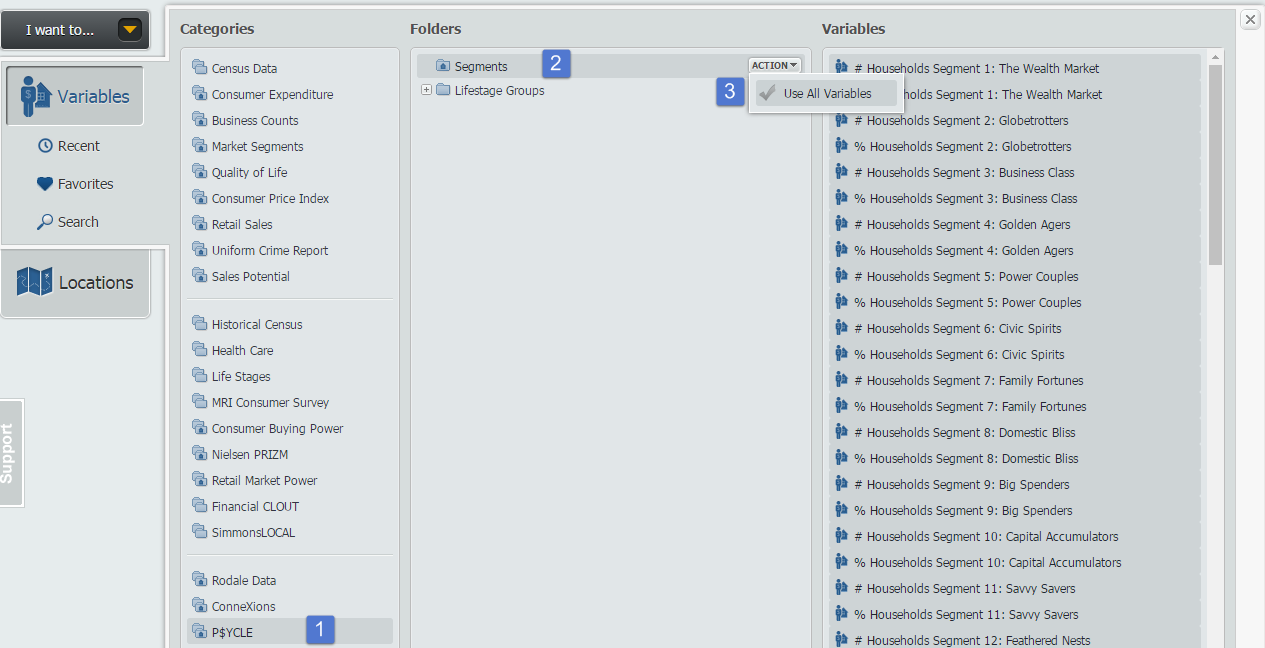
Hover over the Location header in your report and select Sort Descending to view the top segment for the United States:
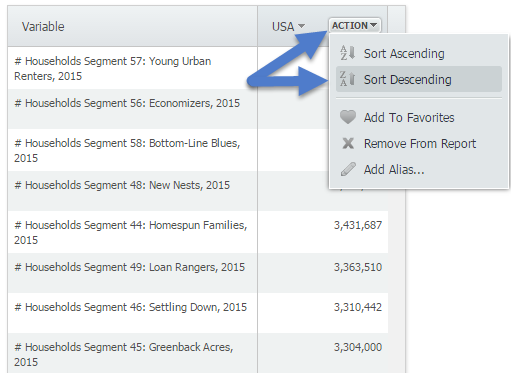
The top segment for the United States is Segment 57: Young Urban Renters. To read more about this segment, hover over the variable and select View Metadata.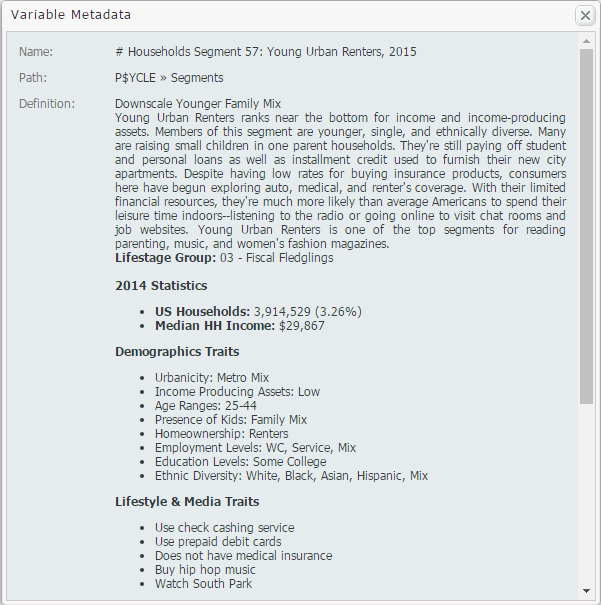
Lastly, add some locations of interest to your report and repeat the process above for each heading to view its highest segment. Results below!
Houston, TX - Segment 56: Economizers
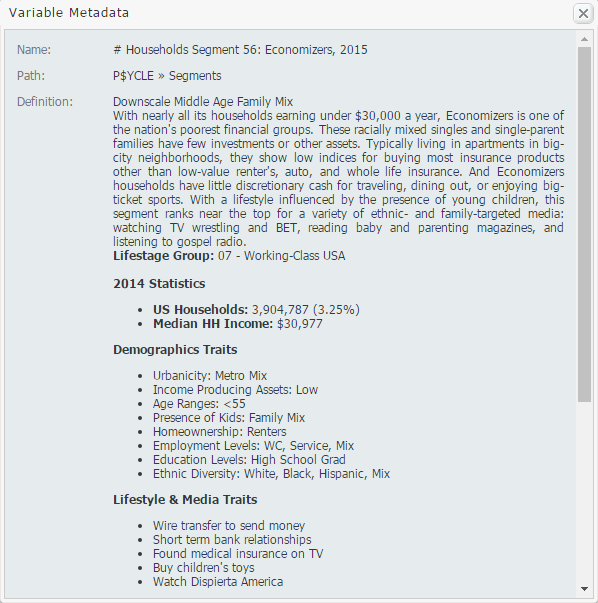
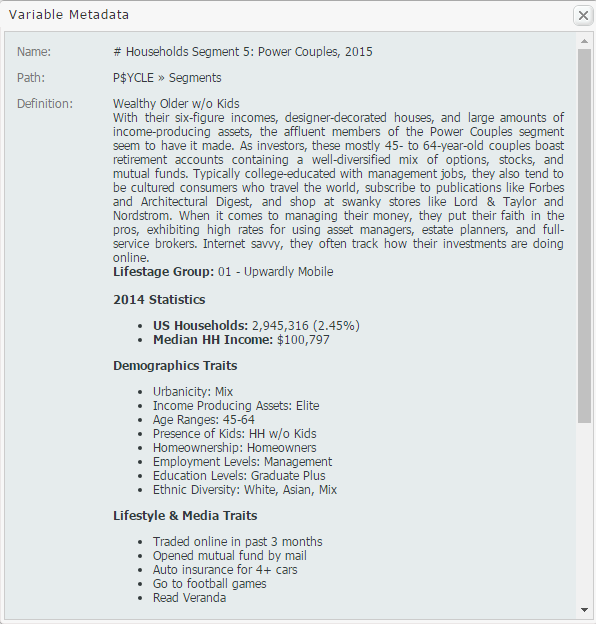
San Francisco, CA - Segment 5: Power Couples
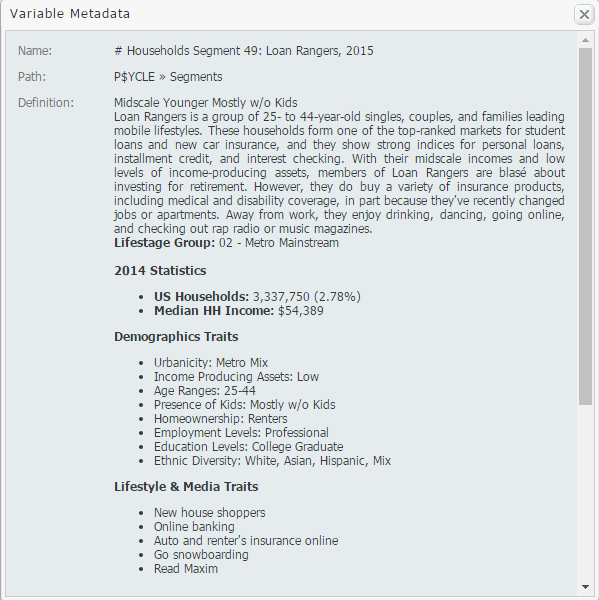
Pittsburgh, PA - Segment 49: Loan Rangers
We hope you enjoyed this week’s SimplyMap report reviewing the P$YCLE® data set - if your institution is interested in a trial of this package, please email support@geographicresearch.com
More from SimplyAnalytics


Posted on Nov 11, 2013 by Admin
Chad Boeninger, Business & Economics Subject Specialist at Ohio University Libraries has produced some excellent tutorial videos to help students learn how to analyze data and create ...
Posted on Jan 15, 2013 by Admin
The GRI team is looking forward to exhibiting at ACRL 2013 at the Indiana Convention Center in Indianapolis April 10 - 12, 2013. Every other year, ACRL offers its premier professional dev...
Posted on Oct 12, 2010 by Admin
NC LIVE, a member-driven library service organization dedicated to providing online information services that support education, enhance statewide economic development, and increase qu...
Posted on Nov 03, 2017 by Admin
This week we’ll talk about one of our favorite features in SimplyAnalytics - the custom combination location. This feature is a simple and effective means to create custom geographies whe...
Posted on Nov 23, 2012 by Admin
Men's Health magazine is charting vanity in US cities, with help from SimplyMap. What did they find? The Sunshine State, with a long history of going to great lengths to look good, tops t...
Posted on May 06, 2013 by Admin
We will be exhibiting at ALA 2013 at McCormick Place in Chicago, IL, June 28-July 1. The ALA Annual Conference programs, updates, conversations, and other events cover all of the key issu...
Posted on Jul 09, 2009 by Admin
The American Library Association 2009 Annual Conference will take place in Chicago, IL from July 9- July 15, 2009 at McCormick Place West located at 2301 S. Lake Shore Drive Chicago, IL. ...
Posted on Oct 08, 2019 by Admin
Hello readers! This week’s “From the Help Desk” is short & sweet. Let’s get to it! Question: How do I analyze all of the states at once in a report? Answer: The Ranking Report allows ...
Posted on Nov 11, 2014 by Admin
With Veteran’s Day in the US this week, we thought it would be an ideal time to explore some of the variables in SimplyMap that pertain to veterans. Specifically, we wanted to know which ...
Posted on Jun 09, 2021 by Admin
Hello (virtual) ALA attendees! Thank you for dropping by our booth to learn more about SimplyAnalytics. Please email us if you have any questions or would like a live demo or free 30 day ...