 Go up
Go up


SimplyMap Tip: Using the Variable Search
Posted on Sep 18, 2015 by Admin
With tens of thousands of variables available in SimplyMap, it’s common for users to wonder whether or not a particular variable they have in mind is available in SimplyMap. This is where the value of our variable search function comes in. The variable search allows you to type in a keyword or two, and will output any related results. Let’s take a look at an example.
We’ll start with something broad and go with a simple search for data related to income.
Open the Variables Panel and click on the Search icon. Enter your keyword, “income,” in the empty text box and hit the search button. Your results will be displayed (over 2,800 income related variables!).

By default, SimplyMap will display results ordered by the popularity of that given related variable among all SimplyMap users. In this example, popular income variables include: Family Income Average, Family Income Median, and HH Income ranges. Hover over a variable and select Use This Variable to add into your report or map.
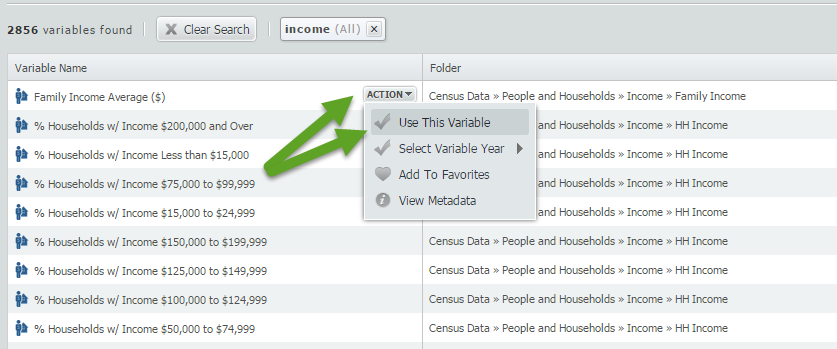
Using the basic keyword search is a quick way to determine the availability of a variable. Equally helpful is the ability to combine an additional keyword into your search.
To narrow down the 2856 “income” results displayed, return to the search box and add an additional query. In this example, we will look for all variables related to “income” and “Hispanic”.
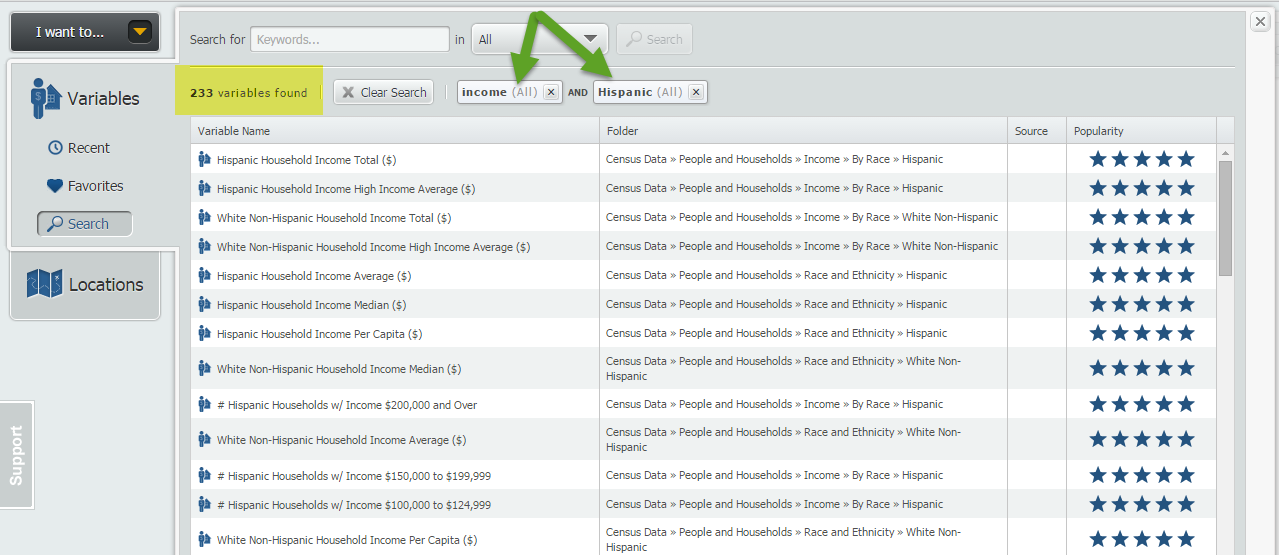
Your results will now be refined to display variables related to “income” and “Hispanic”, (233 in total), including Hispanic Household Income Average.
Final TIP:
There is a dropdown option located directly to the right of the keyword search function. This dropdown will allow you to specifically search by: Variable Name, Source Agency, Folder or All of the Above.
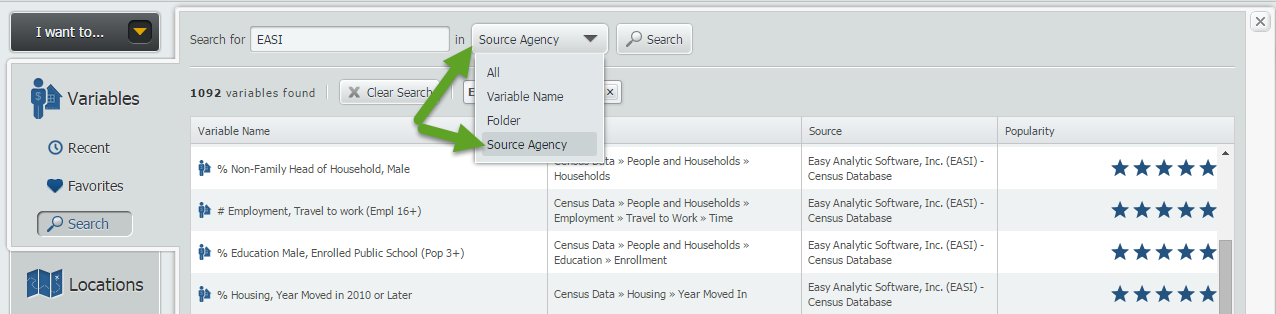
NOTE: If you do not select the dropdown box above, the keyword search will include all of the search options.
That’s it for this week’s tip, we hope that we’ve inspired some users to go out and try the variable search function.
Stay tuned for more tips and SimplyMap reports!
More from SimplyAnalytics


Posted on May 19, 2016 by Admin
Drop by booth #215 at the SLA 2016 conference to chat with us and get the latest info on SimplyMap. We look forward to seeing our customers, friends, and all others interested in learning...
Posted on Sep 09, 2015 by Admin
This week’s SimplyMap report will set out to discover what America’s favorite type of music is. We will use data within the premium data package, SimmonsLOCAL to answer the question. The ...
Posted on Mar 02, 2015 by Admin
In this week’s SimplyMap tip, we outline the process of creating a radius location. Radius locations are a great way to quickly gather information from an area surrounding a target addres...
Posted on Apr 27, 2015 by Admin
In this week’s write up we want to share some quick tips and tricks that you might not yet know about in SimplyMap. TIP #1 Did you know that you can share your work? SimplyMap allows you ...
Posted on Sep 05, 2019 by Admin
We are pleased to be exhibiting again at the Charleston Library Conference, on Tuesday November 5th, 2019. The Vendor Showcase will be held in the Gaillard Center Grand Ballroom (95 Calho...
Posted on Nov 29, 2009 by Admin
Legal Information Alert, a monthly newsletter covering what's new in legal publications, databases and research techniques, published a review of SimplyMap in their April 2009 issue title...
Posted on May 10, 2016 by Admin
One benefit of data and applications like SimplyMap is the ability to visualize information. In this week’s report, we’ll take a quick look at some branding preferences in contiguous Amer...
Posted on May 06, 2013 by Admin
We will be exhibiting at ALA 2013 at McCormick Place in Chicago, IL, June 28-July 1. The ALA Annual Conference programs, updates, conversations, and other events cover all of the key issu...
Posted on Mar 02, 2018 by Admin
In this week’s blog we’ll take a look at how to enter an address in SimplyAnalytics to find the Census Block Group or Census Tract. Let’s get started! Use Case: You want to analyze the ar...
Posted on Dec 02, 2014 by Admin
Today we take a look at one of the more advanced features in SimplyMap - editing the map legend. Editing the map legend is a great way to not only customize how the data is distributed on...