 Go up
Go up


SimplyMap Tip: Exporting Maps
Posted on May 15, 2015 by Admin
In this week’s SimplyMap report, we want to share with you the many options available when exporting maps in SimplyMap. In SimplyMap, when a user selects Export Map Image from the Actions bar, you will be presented with a 3 step export process. This report will cover all options available from each step. Let’s get started!
Step 1 - CROPPING
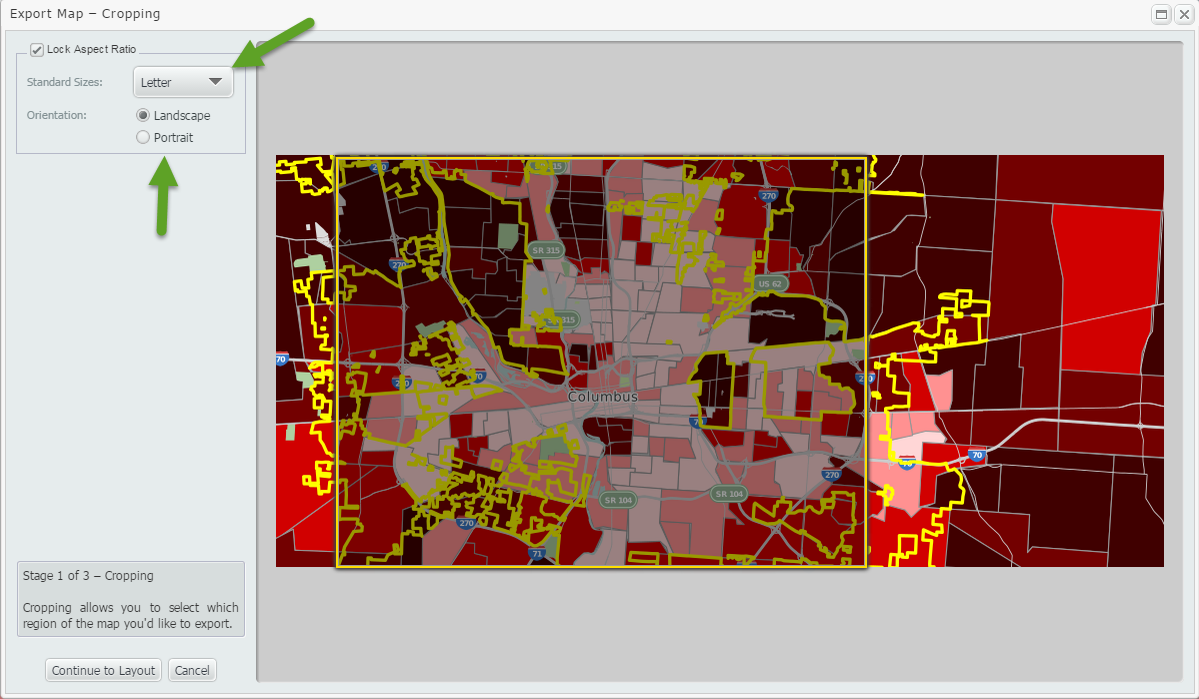
The arrows in the image below refer to the Standard Size and Orientation of your cropping square. Changing either of these options will alter the cropping square to your selection.
Options available for Standard Size: Letter, Legal, Tabloid
Orientation: Portrait or Landscape
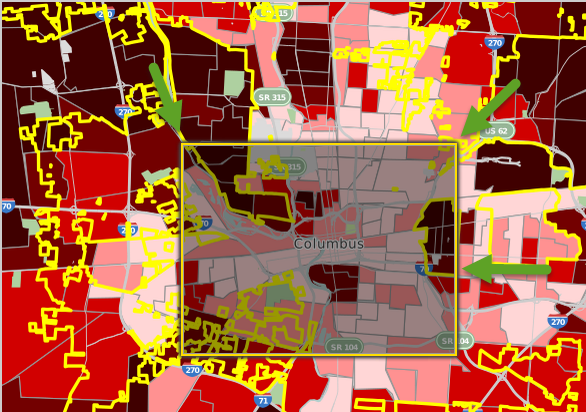
If you prefer instead to customize the size and shape of your cropping area, you may do so by clicking and dragging along an edge or corner of the box until the area meets your desired specifications. Example shown below:
With the cropping area to your choosing, advance to the next step of the export process by selecting “Continue to Layout” from the bottom left side of the cropping menu.
Step 2 - LAYOUT
This step allows users a myriad of customization options. Let’s take a look at these.
Adding a Label - Located towards the top of the menu is a button to “Add Text Label”. Once selected, you may enter a title and change the color or font size of your labels. Feel free to add additional labels as needed.
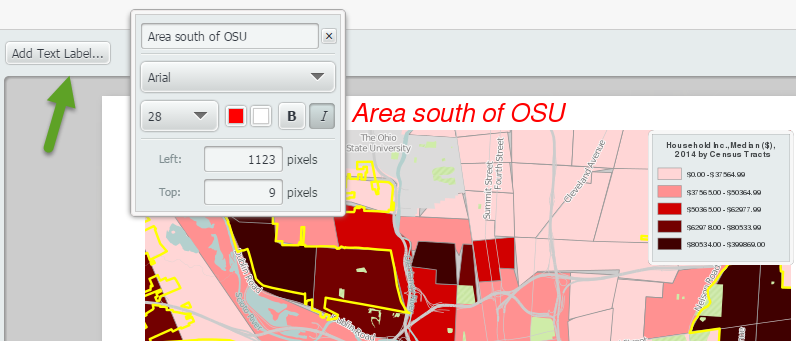
Tip: You can also move the location of the label itself to anywhere in or around your map.
Adding an Inset Map and North Arrow - The bottom left side of the menu will present checkboxes to add an inset map or north arrow. Selecting one or both will add them to your map.
Picture of Inset Map:
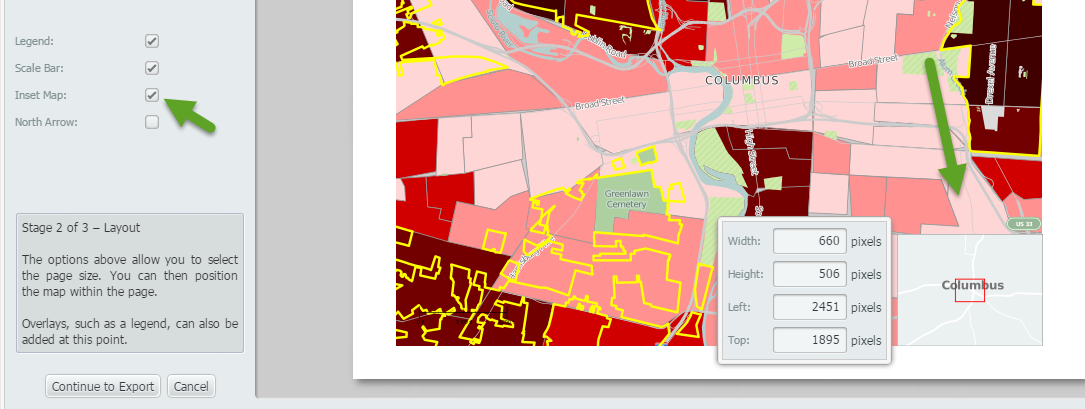
Tip: You may resize or relocate your inset map as needed by selecting the map and moving it to a new location and editing the width, height, left, and top values.
Picture of North Arrow:
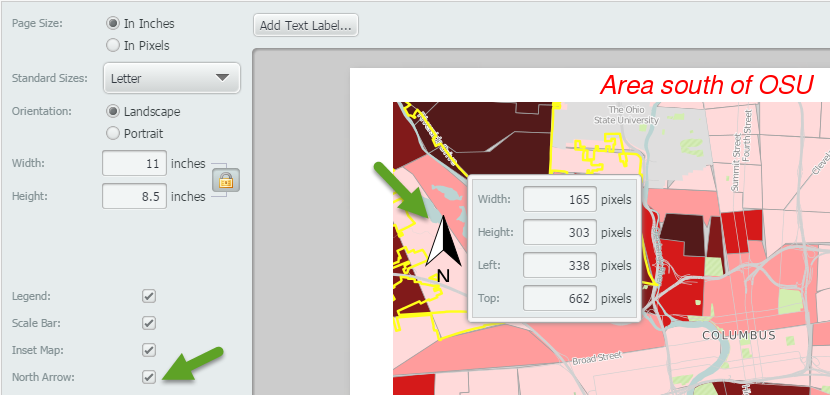
Tip: Similar to the inset map and labels, you may relocate and resize your arrow.
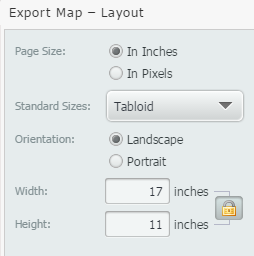
Adjusting Page Size, and Orientation: The page size, and orientation options will allow you to tailor the final layout presentation of your image. For custom sizes, there is an option to edit the width and height values as shown below:
Step 3 - Export your Map
The final step in the exporting process is to choose your file format and method of delivery.
Available file formats: PNG, JPEG, SVG and PDF
Delivery options: Email or direct download
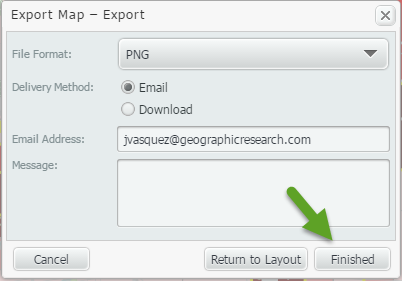
Click “Finished” to export your map!
We hope you enjoyed this SimplyMap feature showcase - let us know if there’s anything in particular you would like to see explained!
More from SimplyAnalytics


Posted on Oct 16, 2015 by Admin
Did you know that SimplyMap includes the ability to export Shapefile data for use in desktop mapping software (such as MapInfo or ArcGIS)? This advanced feature extends the power of Simpl...
Posted on Apr 23, 2018 by Admin
Hello everyone and welcome to this week’s blog. This week we will discuss how to create and utilize filters for your research. Why Use a Filter? Filters are a great way to identify target...
Posted on Jan 23, 2015 by Admin
SimplyMap offers a total of 5 unique types of reports: Standard Report, Ranking Report, Business Report, Ring Study, and Location Analysis. This brief write up will define what each repor...
Posted on Sep 10, 2010 by Admin
SimplyMap Canada is now available at several Canadian institutions, including York University and Ryerson University, in Toronto. SimplyMap Canada has all of the great features included i...
Posted on Nov 17, 2014 by Admin
Our recent series Exploring SimplyMap Data Reports has focused on creating ranking reports for unique variables. Accordingly, we thought it would be helpful to write a quick tip on how to...
Posted on Oct 24, 2019 by Admin
Hi everybody! This week we wanted to bring you something unique, so we’re taking you behind the scenes to show you what goes in to setting up the SimplyAnalytics conference booth you’ve c...
Posted on Sep 18, 2015 by Admin
With tens of thousands of variables available in SimplyMap, it’s common for users to wonder whether or not a particular variable they have in mind is available in SimplyMap. This is where...
Posted on Feb 17, 2015 by Admin
Our recent trip to Chicago exhibiting at the ALA Midwinter Meeting inspired this week’s SimplyMap blog post. Today, we’re going to demonstrate how to use business points in SimplyMap to a...
Posted on Apr 05, 2019 by Admin
Come visit the SimplyAnalytics booth (325) at the upcoming ACRL 2019 show in Cleveland! Say hello, grab a chocolate, and stay for a quick demo of SimplyAnalytics. The team will be showcas...
Posted on Dec 03, 2015 by Admin
With the Thanksgiving holiday last week, we decided to take a quick look into SimplyMap to see what pertinent variables are available for analysis. First, open the Variables panel and cli...