 Go up
Go up


SimplyMap Quick Tips
Posted on Apr 27, 2015 by Admin
In this week’s write up we want to share some quick tips and tricks that you might not yet know about in SimplyMap.
TIP #1
Did you know that you can share your work? SimplyMap allows you to quickly and easily share your work with other SimplyMap users. Here’s how:
Click on the drop down by the tab you’d like to share, and click SHARE
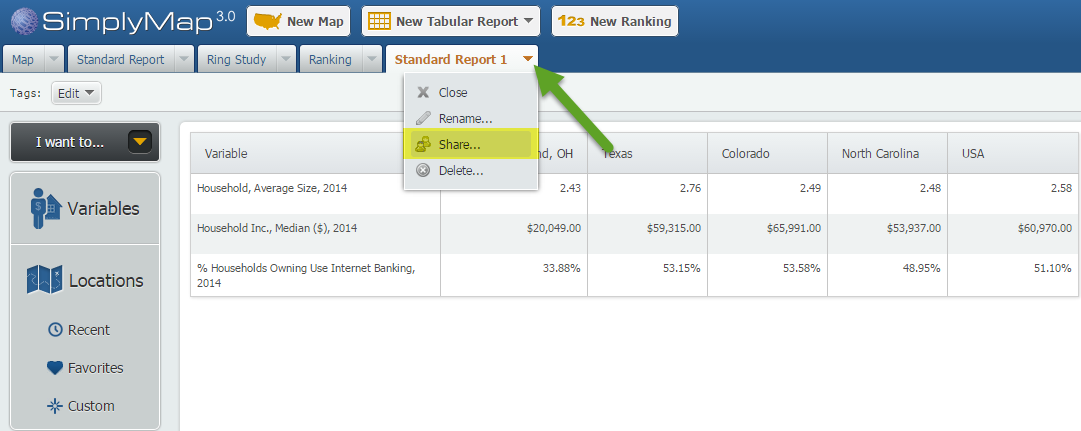
After selecting share, you will be provided with a customized URL.
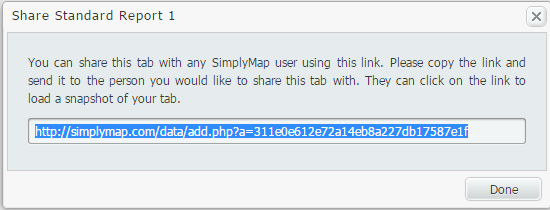
Copy and send this URL to another SimplyMap user. When the user clicks the link, they will be presented with the work you completed.
TIP #2
Accidentally closed out a tab, or trying to review some of your past work? No worries! In SimplyMap, closing out a report or map tab will not delete your work. In fact, your old work can be easily recovered and opened. Here’s how:
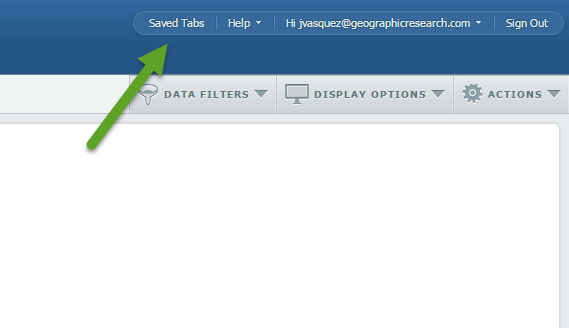
At the top right of SimplyMap, you’ll see a button for “Saved Tabs”.
Once selected, a dialog box will appear with your current tabs, and previously created reports/maps. Hover over the work in question, and select open. SimplyMap will reopen the selected report or map.
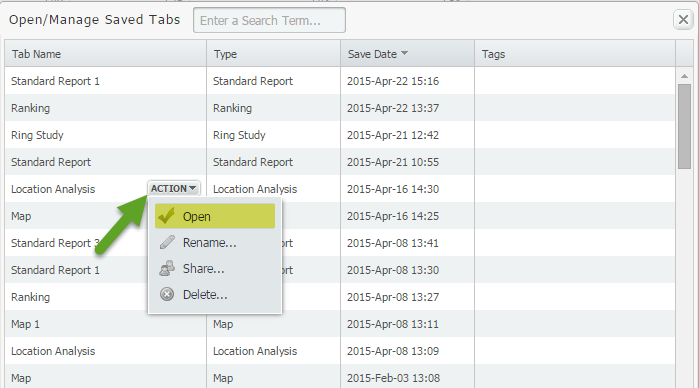
NOTE: If you select DELETE from a tab’s dropdown, your work will be permanently deleted and not stored in your Saved Tabs.
TIP #3
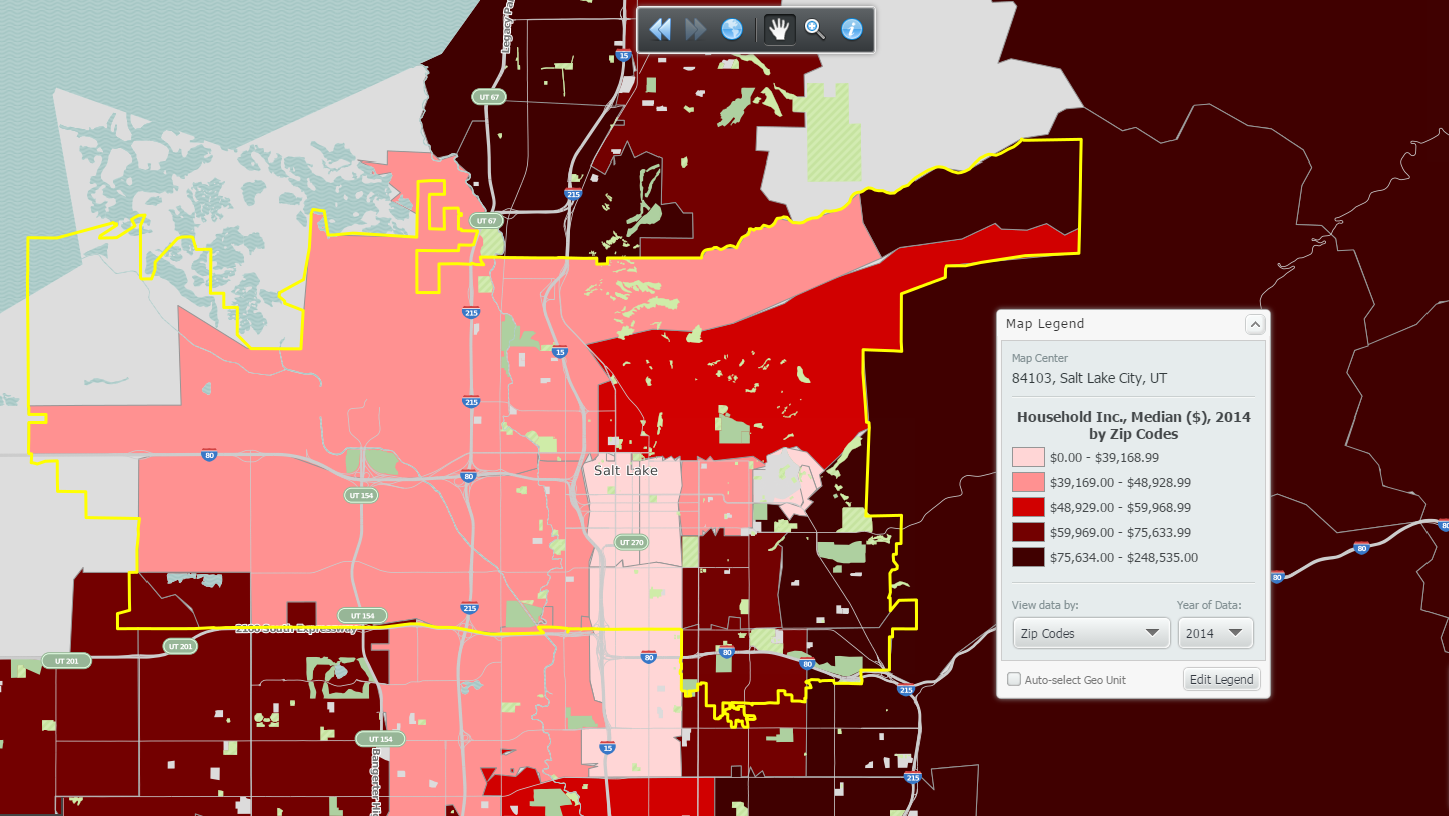
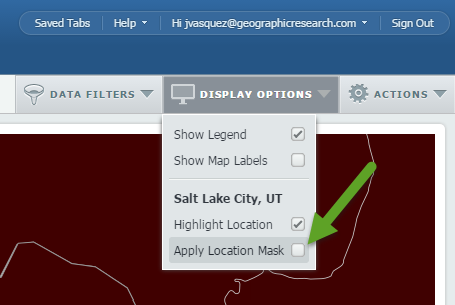
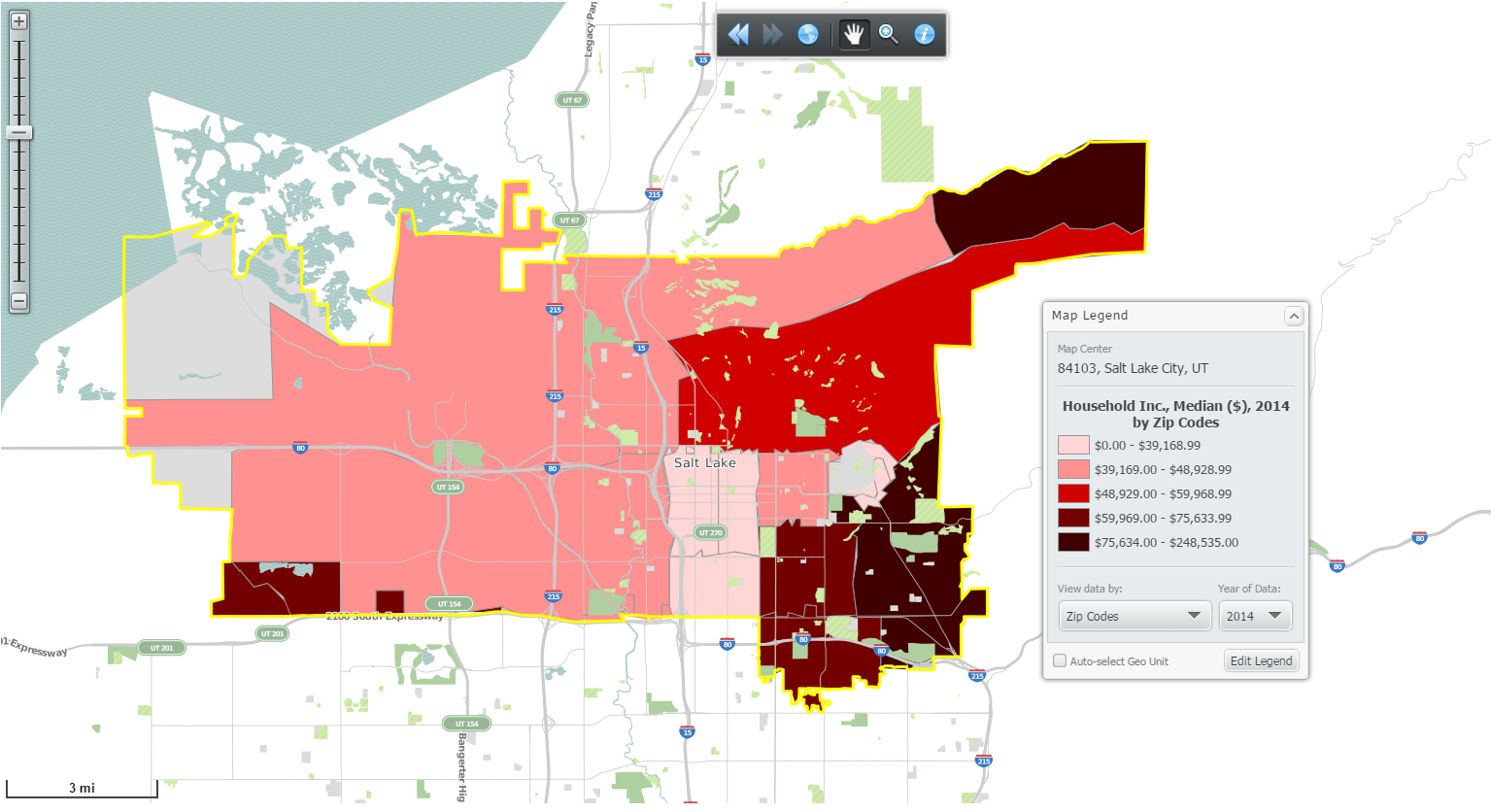
Don’t want to see colored data for the areas around your target location? Apply a location mask. Here’s a before and after shot:
Before:
 Go to Display Options > Apply Location Mask:
After:
We hope that you were able to learn from one of these quick tips. Stay tuned for more tips and interesting reports.
Don't forget to follow us on Twitter and Like Us on Facebook!
More from SimplyAnalytics


Posted on Mar 04, 2020 by Admin
Come meet the SimplyAnalytics team at the 15th annual Electronic Resources and Libraries conference, held at the AT&T Hotel & Conference Center in Austin, TX. We will be exhibitin...
Posted on Jan 18, 2008 by Admin
The BRASS Business Reference Sources Committee of Reference & User Services Quarterly (RUSA) selected SimplyMap as one of the Outstanding Business Reference Sources for 2007. Excerpt...
Posted on Feb 24, 2019 by Admin
We will be exhibiting at SCELC* Vendor Day on March 14th. Visit us at table 510 and attend one of our two sessions demonstrating SimplyAnalytics. The presentations will highlight newly av...
Posted on Jun 08, 2023 by Admin
We are excited to announce Mansi Nishit Trivedi as the winner of the 2023 BRASS Student Travel Award sponsored by SimplyAnalytics! Mansi, a Master of Information student at Dalhousie, has...
Posted on Feb 17, 2015 by Admin
Our recent trip to Chicago exhibiting at the ALA Midwinter Meeting inspired this week’s SimplyMap blog post. Today, we’re going to demonstrate how to use business points in SimplyMap to a...
Posted on Nov 10, 2017 by Admin
Welcome to this week’s SimplyAnalytics blog post. Today we’re going to take a closer look at the options available to you when editing the map legend. Let’s get started! First, to start e...
Posted on Mar 14, 2010 by Admin
The GRI team was honored to learn that SimplyMap was included in this year's Choice Outstanding Academic Title List, published in the January 2010 issue of Choice Magazine. This is a grea...
Posted on Feb 01, 2009 by Admin
Want to know the top 10 wealthiest ZIP codes in your state? How about the top 25 counties with the most elderly residents? Duke University students can now easily answer these questions a...
Posted on Dec 15, 2014 by Admin
Visit the SimplyMap team at the ALA Midwinter Meeting in Chicago late January. We will be at booth #2824 offering product demonstrations, tips & tricks, and of course Ghirardelli Choc...
Posted on May 06, 2016 by Admin
Visit us at booth #775 at the ALA 2016 annual conference to meet the SimplyMap team and learn more about the features and functions behind SimplyMap. Have a Ghirardelli Chocolate while we...