 Go up
Go up


Exploring SimplyMap Data: Life Stage Clusters
Posted on Aug 20, 2015 by Admin
Is there a specific age group and income bracket you are specifically interested in researching for a target location? Our Life Stages module has the information you need. Life Stages, by EASI is a premium data set available for trial or purchase to all SimplyMap subscribers. In this brief write up, we’ll take a look at some of the options available within this data package.
The Life Stages module is broken down into three folders:
Young Households - Very Young <25 and Young 25-34
Middle Age Households - Middle Age 35-44 and Late Middle Age 45-54
Older Households - Nearly Senior 55-64, Senior 65-74 and Oldest 75+
Each of these folders is further broken down by family types and income.The income data has three tiers: lower income, moderate income and higher income. Let’s get started with a demonstration.
Scenario: You want to analyze the city of Chicago by Life Stage clusters to identify high income, non-family households (young, middle age and older).
Step 1: Create a Location Analysis Report, and use the city of Chicago as your location.
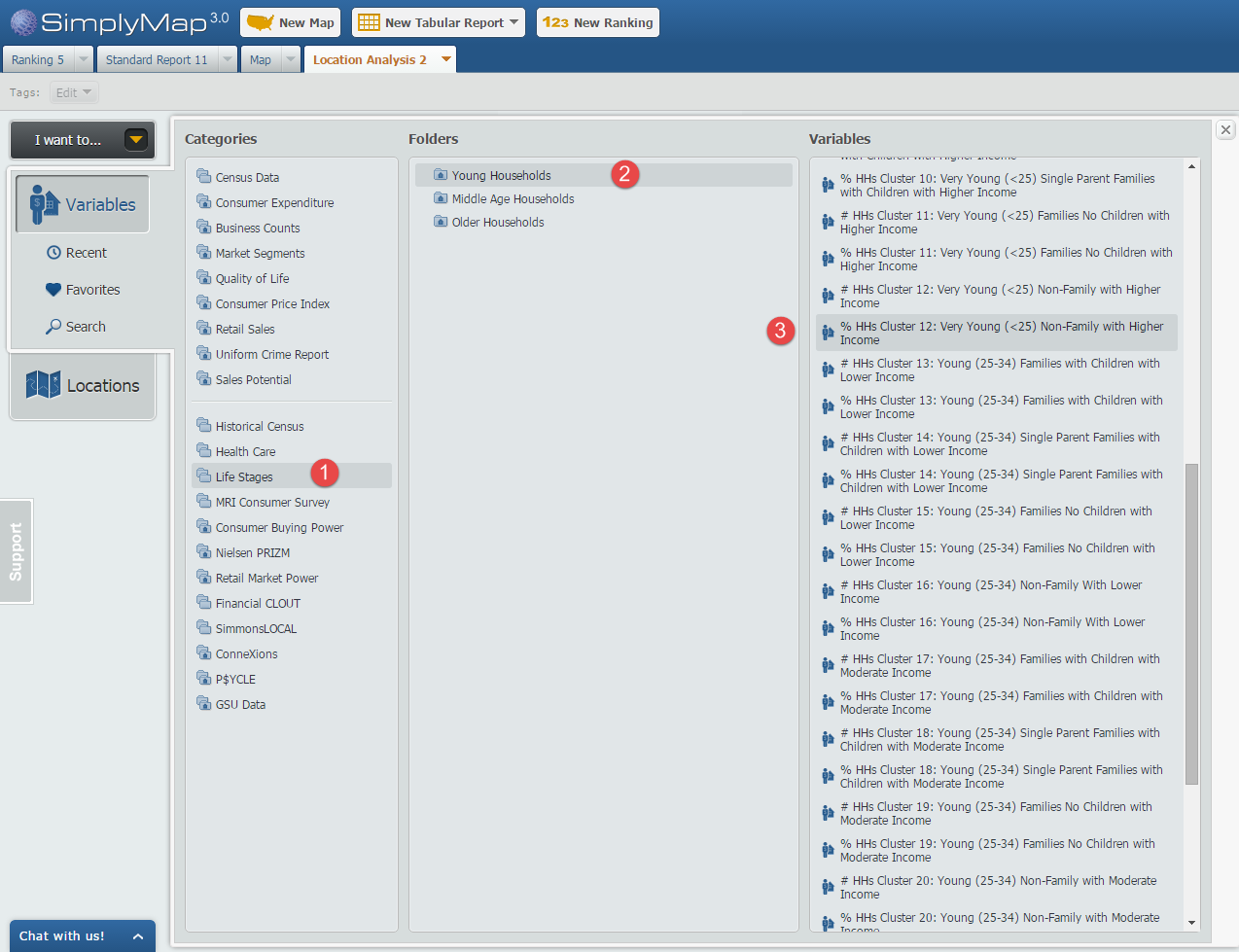
Step 2: Open the Variables Panel and navigate to Life Stages and through each household folder, selecting the variables that meet our criteria, such as: % HHs Cluster 12: Very Young (<25) Non-Family with Higher Income, 2014. Image below for reference.
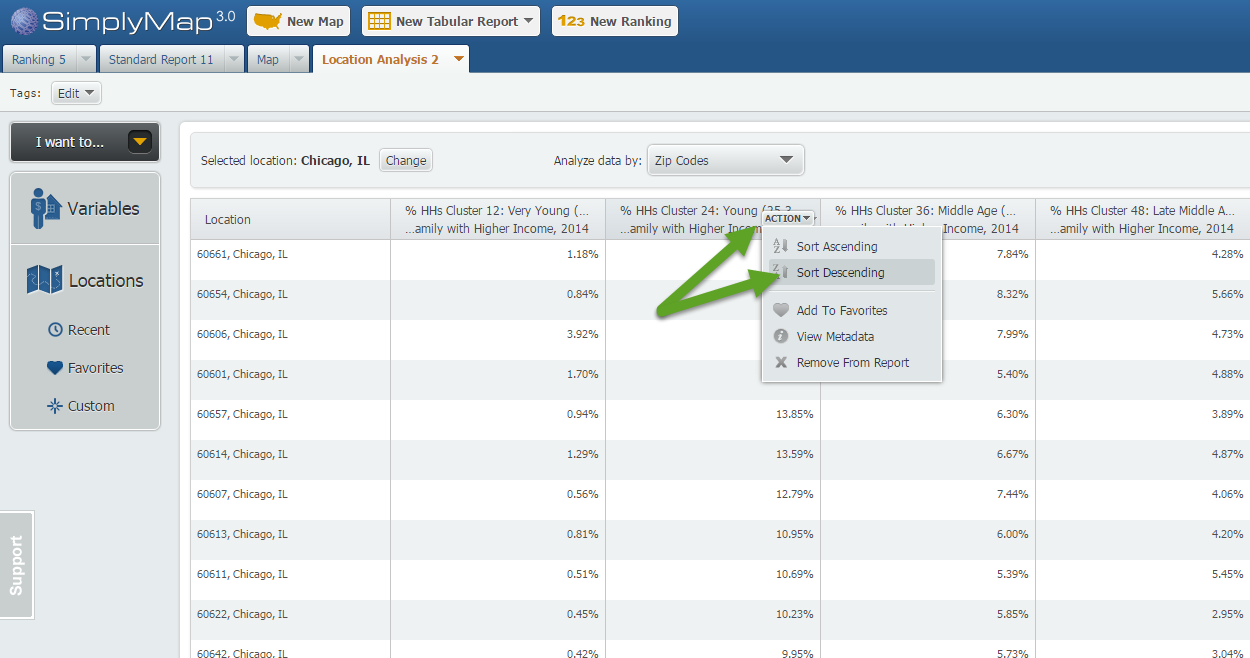
Step 3: Hover over each variable in your report and select “Sort Descending”. This will effectively rank your Chicago ZIP Codes by that variable allowing you to see the ZIP Codes where each selected variable is most represented.
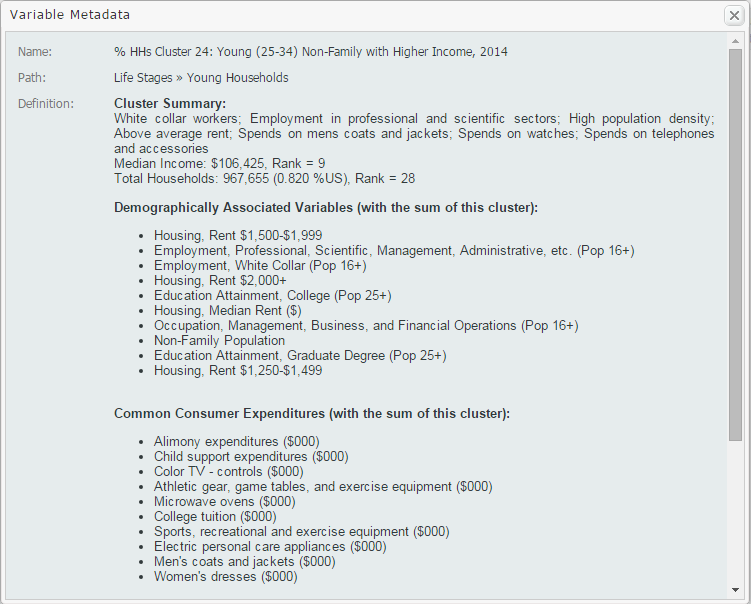
Tip: To gather more information on your variables, such as a definition and summary, select View Metadata from the dropdown that appears when hovering over the variable. Sample shown below:
We hope you enjoyed this week’s feature on the Life Stages data module. If you feel this data package could be useful at your institution, send an email to support@geographicresearch.com We would be happy to set up a free temporary trial.
Stay tuned for more!
More from SimplyAnalytics


Posted on Apr 27, 2015 by Admin
In this week’s write up we want to share some quick tips and tricks that you might not yet know about in SimplyMap. TIP #1 Did you know that you can share your work? SimplyMap allows you ...
Posted on Jul 30, 2015 by Admin
One great feature within SimplyMap is the ability to track the same variable across multiple years. In this report, we will track the percentage of households in the US ordering items fro...
Posted on Jun 08, 2023 by Admin
We are excited to announce Mansi Nishit Trivedi as the winner of the 2023 BRASS Student Travel Award sponsored by SimplyAnalytics! Mansi, a Master of Information student at Dalhousie, has...
Posted on Dec 02, 2014 by Admin
Today we take a look at one of the more advanced features in SimplyMap - editing the map legend. Editing the map legend is a great way to not only customize how the data is distributed on...
Posted on May 06, 2016 by Admin
Visit us at booth #775 at the ALA 2016 annual conference to meet the SimplyMap team and learn more about the features and functions behind SimplyMap. Have a Ghirardelli Chocolate while we...
Posted on Dec 15, 2014 by Admin
Visit the SimplyMap team at the ALA Midwinter Meeting in Chicago late January. We will be at booth #2824 offering product demonstrations, tips & tricks, and of course Ghirardelli Choc...
Posted on Jun 09, 2016 by Admin
In this week’s blog, we’ll be featuring our newest data offering, PRIZM® Premier. If your institution currently subscribes to PRIZM data, this new module is available at no additional cos...
Posted on Jan 16, 2026 by Admin
We are excited to be exhibiting at the Public Library Association (PLA) 2026 Conference in Minneapolis this April 1-3!
Posted on Jul 20, 2020 by Admin
Hello readers! We hope you are doing well and staying safe. Today we are excited to introduce the Simmons NCS crosstabs functionality! This is a feature we’ve been working on for a while,...
Posted on Jan 19, 2009 by Admin
The 2009 Midwinter Meeting will be held in Denver, CO, from Jan 23–28, 2009. http://www.ala.org/midwinter The exhibits will be held Jan 23–26, 2009 at the Colorado Convention Center,...