 Go up
Go up


SimplyMap Tip - Using Tags
Posted on Oct 26, 2016 by Admin
In this week’s SimplyMap report, we’ll take a look at the tags feature and demonstrate how it can be useful for you as you work in SimplyMap. SimplyMap users can have up to 20 tabs open in SimplyMap, each with a different map or report. As you progress and generate more tabs, it becomes useful to organize your work. This is where the tags feature comes in handy.
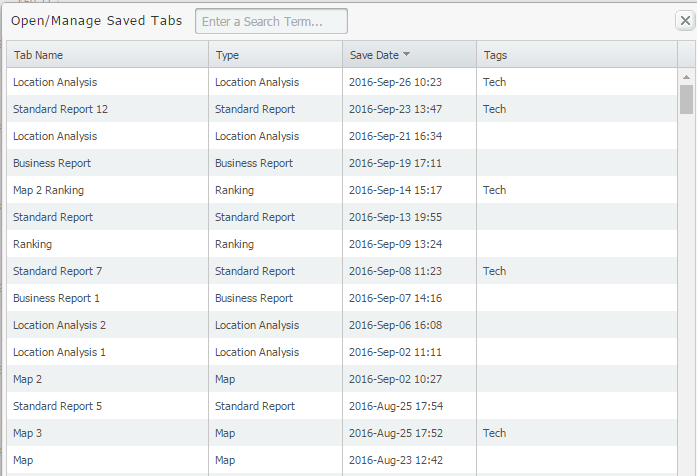
Let’s say for example that you want to revert back to some tabs mapping technology adoption data that you previously closed out. If you didn’t tag your work, and did not name the tab, the task of finding the right tab can become tedious. Your saved tabs list looks something like this:
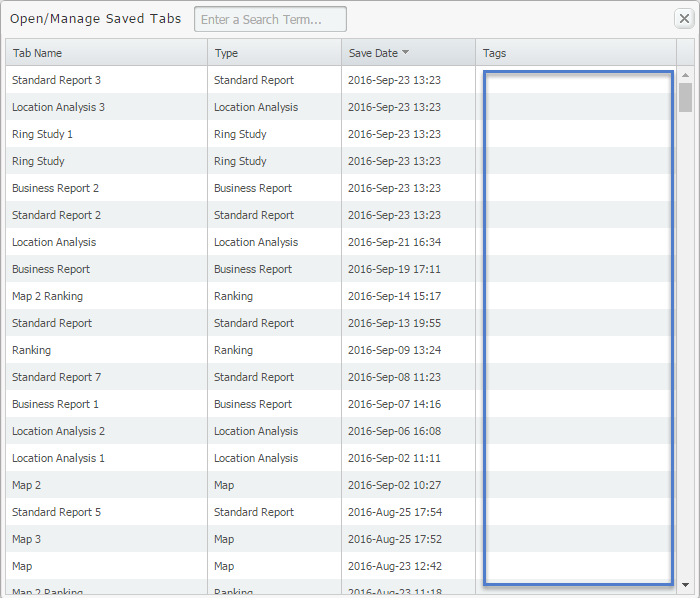
If tags are assigned, you can search by keyword and identify the tab you are looking for quickly. Applying tags to your work is simple, here’s what to do:
Select the Edit drop down menu located towards the top-left of your report (1), enter a tag in the available textbox (2), and then Add (3). See image below:
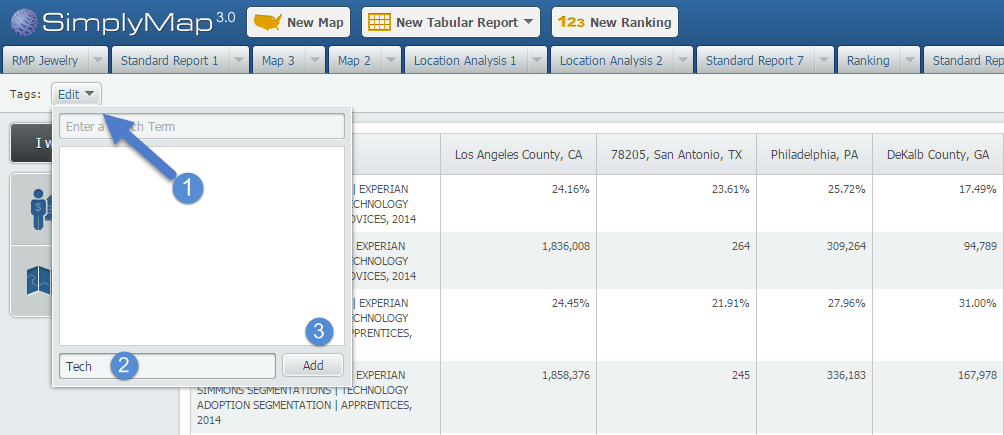
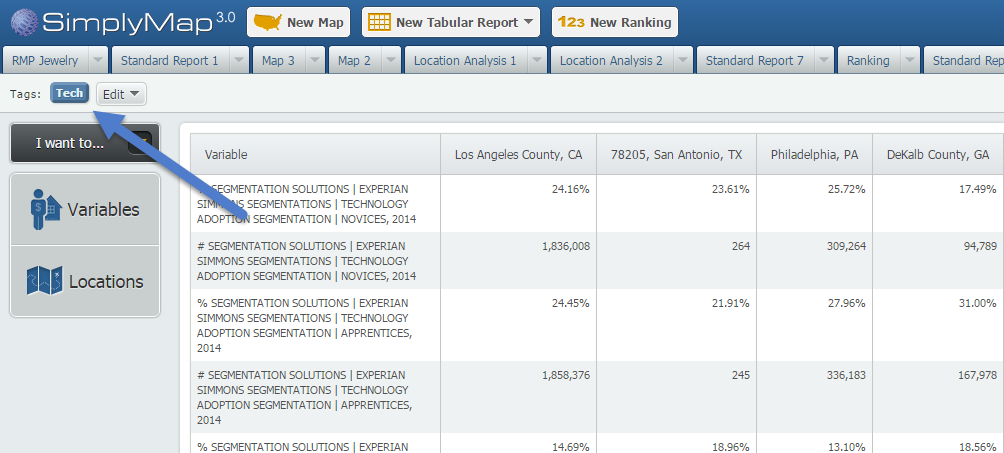
Once added, you’ll see a tag added by that option:
To assign the “Tech” tag to other tabs in SimplyMap, open the tab and select “Tech” from the available tags:
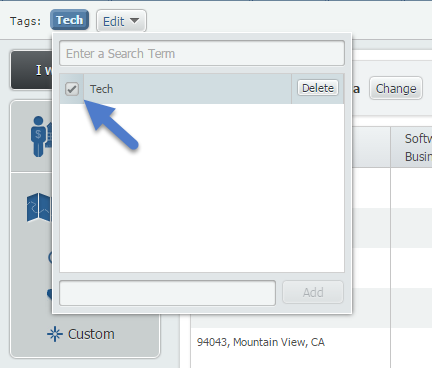
When you go back to your saved/managed tabs list, you be able to see or quickly search for all maps and reports related to Tech.
Stay tuned for more SimplyMap tips!
More from SimplyAnalytics


Posted on Jun 08, 2023 by Admin
We are excited to announce Mansi Nishit Trivedi as the winner of the 2023 BRASS Student Travel Award sponsored by SimplyAnalytics! Mansi, a Master of Information student at Dalhousie, has...
Posted on Nov 19, 2019 by Admin
Hello readers! Today we are bringing you a new blog entry inspired by a recent Help Desk question. If you ever have any questions about SimplyAnalytics, please do not hesitate to reach ou...
Posted on Dec 30, 2009 by Admin
Skokie Public Library, in Skokie, IL has published a useful overview of SimplyMap on the Mike's Space blog on SkokieNet. The article is filled with examples of research questions that can...
Posted on Mar 21, 2018 by Admin
The Quick Report is one of the newest features added to SimplyAnalytics - let’s take a look at how it can support your research. This report instantly provides you with a curated list of ...
Posted on Sep 15, 2025 by Admin
SimplyAnalytics will be attending the upcoming NCLA Conference in Winston-Salem October 14-17!
Posted on Apr 18, 2008 by Admin
A team of librarians at Drexel University has developed a detailed poster to introduce SimplyMap as a new research tool for the student body. The poster was launched on Drexel Research Da...
Posted on Feb 05, 2015 by Admin
In this week’s edition of exploring SimplyMap data, we take a look at America’s coffee drinkers. SimplyMap contains more than 100 coffee related variables, including consumer spending on ...
Posted on Nov 23, 2012 by Admin
Men's Health magazine is charting vanity in US cities, with help from SimplyMap. What did they find? The Sunshine State, with a long history of going to great lengths to look good, tops t...
Posted on Feb 19, 2016 by Admin
Drop by booth #857 at PLA 2016 to meet the SimplyMap team and learn more about the features and functions behind SimplyMap. Have a Ghirardelli Chocolate while we present SimplyMap and off...
Posted on Sep 14, 2021 by Admin
Welcome readers! Today we are excited to welcome histograms to SimplyAnalytics. We hope you enjoy this wonderful new visualization as much as we do. Let’s take a look. What is a histogram...