 Go up
Go up


Quick Tips: Mapping
Posted on Mar 22, 2016 by Admin
Inspired by some recent support desk questions, this week’s SimplyMap report will provide some useful tips and tricks to help make the most out of your maps. Let’s get started!
First, let’s take a look at the map that we will apply changes to. This is a map showing Median Household Income for the city of Chicago:
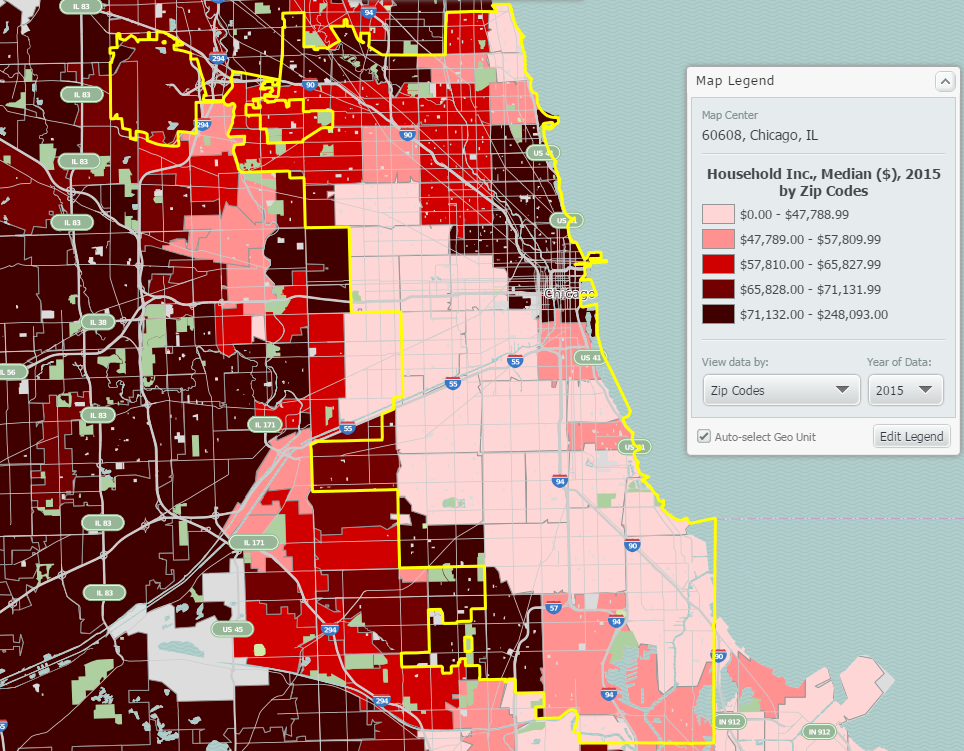
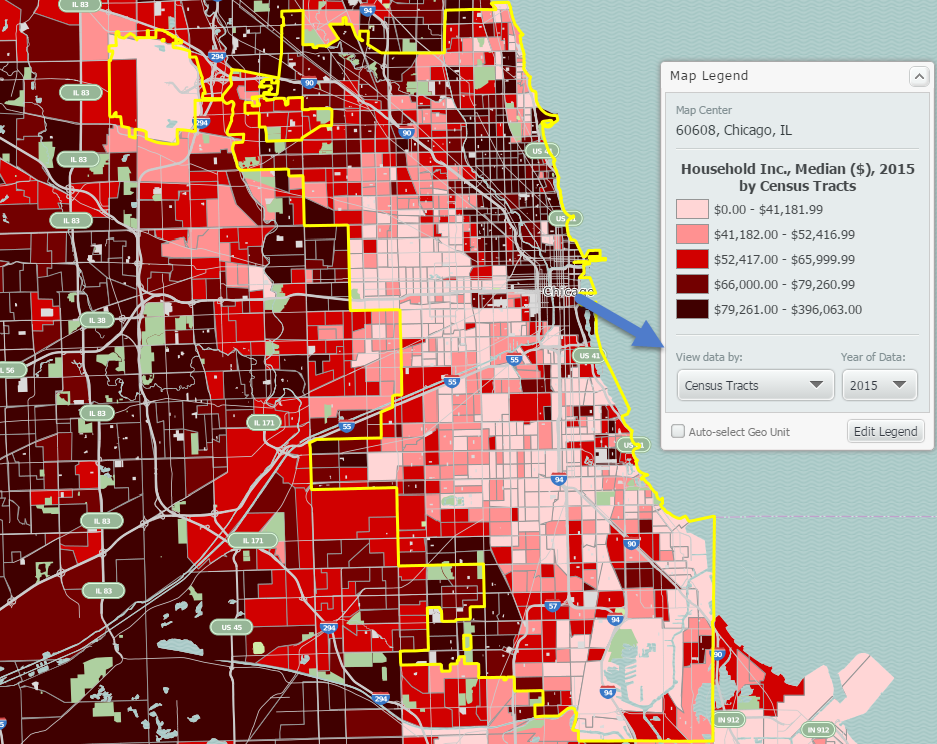
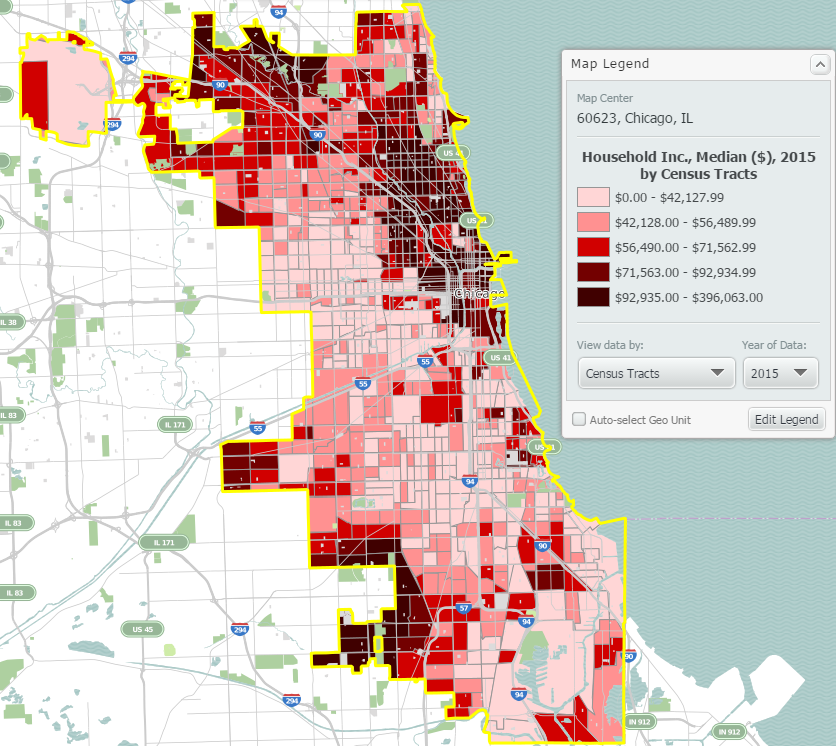
At this level of zoom and geography, your map will display by ZIP Codes. If you’d like to see a more granular map, select a smaller geography from the View Data By dropdown in your map legend. The map below displays the data by census tract:
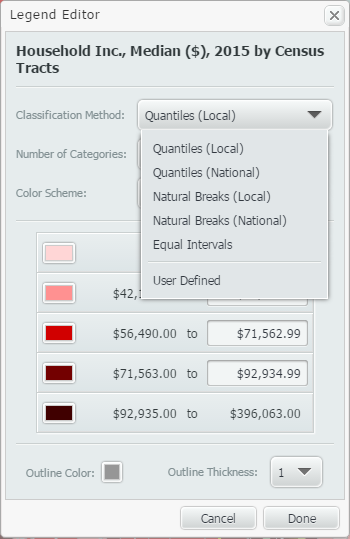
Next, when you create maps in SimplyMap, by default the legend values will use national figures. If you would like to see your map legend changed to reflect the underlying data specifically for the region shown on the map, try changing the classification method to be Quantiles Local. This option is found in the Edit Legend menu.
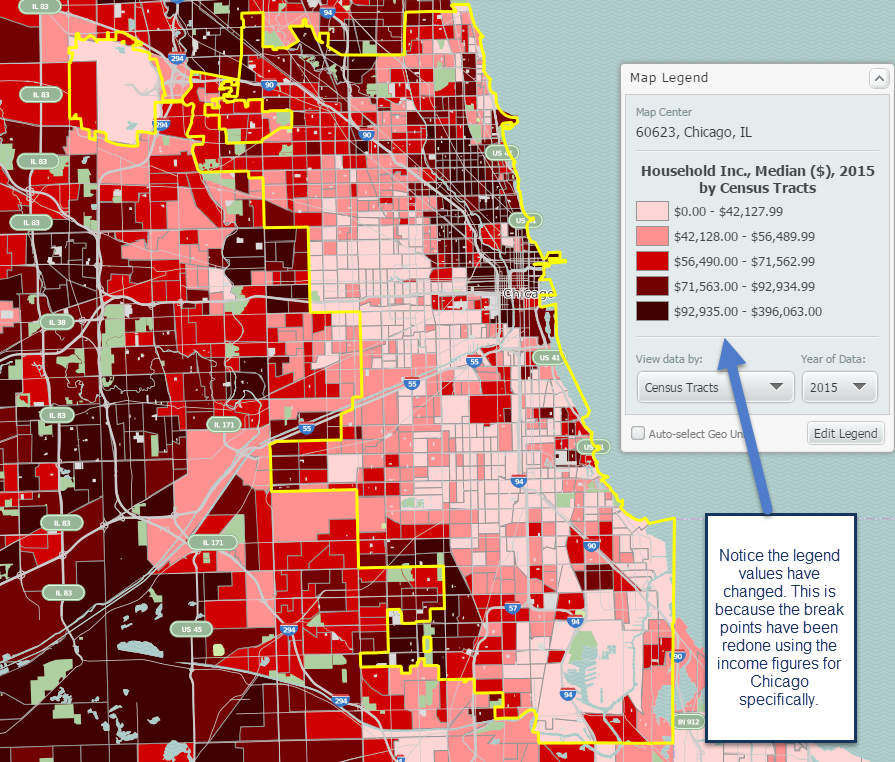
New map shown below with reconfigured break points:
The last tip we have here involves applying a location mask to your map. Doing so will remove the surrounding areas around your selected location. This feature is found in the Display Options dropdown located towards the top right of SimplyMap.
Final map shown below:
Our tips summarized:
1. Try changing the unit of geography for your map to be smaller from the View Data By dropdown in the legend.
2. Change the classification method of your map to be quantiles local. This reconfigures your break points to reflect the underlying data of your study area (we used Chicago).
3. Apply a Location Mask from the Display Options menu.
We hope you enjoyed these tips - stay tuned for more!
More from SimplyAnalytics


Posted on Sep 20, 2019 by Admin
Hello readers! Today we have a brief update for you on what’s new in SimplyAnalytics. Since the release of the Quick Report feature a few months ago, we have been asked to make this repor...
Posted on Sep 15, 2016 by Admin
While creating a radius location is the fastest and easiest method for creating a custom location, there may be situations that require a more specific and targeted locale. Let’s say for ...
Posted on Feb 05, 2015 by Admin
Our Winter Sweepstakes has begun! Enter to win an iPad Mini 3 or Kindle Fire. How to Enter: Follow @SimplyMap on Twitter Like our SimplyMap Facebook Page for a 2nd Chance to Win If you ...
Posted on Jun 25, 2015 by Admin
In this week’s SimplyMap report, we review the different options available when searching for a business. The easiest and fastest method of mapping businesses or creating a business repor...
Posted on Oct 08, 2008 by Admin
Geographic Research, Inc. (GRI) is pleased to sponsor the fourth annual American Collegiate Retailing Association’s Undergraduate Student Retail Analysis Competition. This is the second ...
Posted on Feb 26, 2014 by Admin
The Statewide California Electronic Library Consortium is holding another packed week of workshops and networking during the SCELCapalooza event in March 2014. Geographic Research will b...
Posted on Jul 20, 2020 by Admin
Hello readers! We hope you are doing well and staying safe. Today we are excited to introduce the Simmons NCS crosstabs functionality! This is a feature we’ve been working on for a while,...
Posted on Nov 04, 2013 by Admin
SimplyMap 3.0 is here, and uses the latest technology to provide better performance, improved reliability, and powerful new features. There are many improvements designed to make it easie...
Posted on Sep 08, 2016 by Admin
One of our favorite uses of SimplyMap is to find data that validates our general assumptions and observations. For example, in a previous blog we wrote about the growth of tablet ownershi...